
Here is the part most people miss: the $0 route to Claude Code does not run a Claude model at all. You keep the terminal, the file edits and the commands, then replace the brain with an open model on your own machine.
That changes the question. Not whether you can get the bill to zero, but what that swap takes from you in hardware, speed and edit accuracy.
This article walks the whole setup end to end. Two commands wire the CLI to a local server, one honest test shows where the small model breaks, and the year-one math says whether to buy the card or keep paying.
| Route | Up front | Every month | What you give up |
|---|---|---|---|
| Local CLI + Ollama | $489 graphics card | $8-$12 electricity | Claude models, edit accuracy |
| Claude Pro | $200 annual | $17 billed annually | Heavy session volume |
| Claude Max 5x | $0 | $100 | Nothing, still limit-capped |
| API key (Sonnet 5.5) | $0 | Per token: $2 in / $10 out | Predictable monthly cost |
| API key (Opus 5.5) | $0 | Per token: $4 in / $20 out | Predictable monthly cost |
| Claude Free plan | $0 | $0 | Claude Code access entirely |
Can I actually run Claude Code without paying Anthropic anything?

You can, but only by paying Anthropic nothing at all, in any form. There is no free tier of Claude Code itself. It has no standalone plan, and Claude's Free plan does not include it, so the real thing opens with a card either way.
That card is a subscription or a metered key. Pro costs $20 a month, or $200 up front for the year, which works out to $17 a month. Max 5x runs $100 a month and Max 20x runs $200 a month.
The other option is an API key. An API is a way for one program to request an answer from another over the internet. That's the API.
The key is the long password-like string that identifies your account, and it bills per token. That's the API key.
The $0 door is not Claude at all. You keep the Claude Code program on your disk but point it at a different model, one running on your own computer through a free program called Ollama. Anthropic never joins the call, so nothing is charged.
The same terminal stays. You type, Claude Code edits files and runs commands as before. The workflow survives; the models behind it do not.
Will my machine run this at a usable speed?
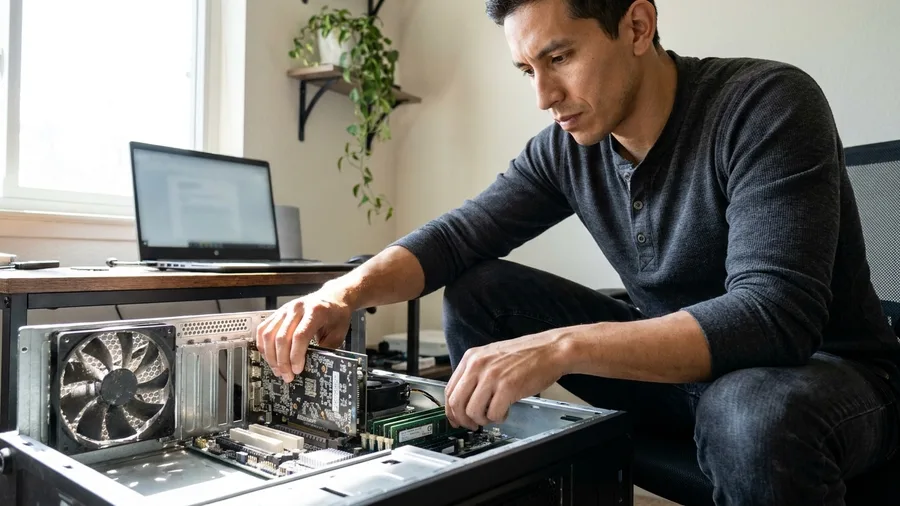
A machine that clears the bar runs it fine; anything short of it will crawl. Ollama's own recommendation for Claude Code is version 0.14.0 or newer and at least 32 GB of RAM, and that figure reads as a floor rather than a comfort margin.
The model has to be large enough too. Nothing under 14B parameters is worth running, and 30B-class is the better target.
It also has to emit valid tool calls, meaning clear formatted requests the CLI can act on. A model that garbles them leaves the CLI with nothing reliable to do.
Without a graphics card, every turn takes minutes. A coding session runs on a tight loop of write, read the edit, write again, and that loop collapses when each pass stalls.
So the honest cutoff is a 16 GB laptop, or any machine with no separate graphics card. Those readers stop here and stay on the API or a cheap hosted agent. Buying hardware to get past this is the next decision, not this one.
The terms in the setup, decoded
How do I actually connect Claude Code to the local model?

Build nothing – point it at an address. Ollama v0.14.0 or newer ships a one-command setup, ollama launch claude. It wires Claude Code to the local model and starts it in one go.
Doing it by hand is the same, in steps. Set ANTHROPIC_BASE_URL to the local server address, for example http://localhost:8888, then launch Claude Code. That variable just tells the CLI where to send its requests.
Pass –disable-tools so the CLI's own write, edit and shell tools do the work instead of the server's. Add –bare and –exclude-dynamic-system-prompt-sections to shrink the large default prompt built for Anthropic's hosted models.
The full line is ANTHROPIC_BASE_URL=http://localhost:8888 claude –disable-tools –bare –exclude-dynamic-system-prompt-sections. Responses come back faster, and the setup is live.
🛠️ Wire Claude Code to the local server
Budget the RAM first
32 GB or more, plus a GPU. Under that, skip this build and keep the subscription.
Confirm 14B+ tool calls
If the model cannot emit tool calls, Claude Code's write and edit tools never fire.
Pick the 30B class
Cards with room for 30B models are the preferred tier. Smaller saves memory, loses accuracy.
Know the CPU fallback
No GPU means minutes per turn, not seconds. Test one turn before committing.
Verify the split.py run
The 90-line expense script is the real test. If contacts and totals come out right, the wire is good.
Where the local model quietly falls apart

Day to day, the local model handles single files almost as well as Claude and comes apart on anything bigger. Writing one function, local models land within 85-90% of Claude. The gap opens on edits that span several files, and on bug hunting.
Raw edit accuracy is the weak spot. Published measurements put model diffs, the patch a model writes to change your code, at 70-80% for non-Claude models.
Claude sits at 98%. Two or three bad edits early sit in the file and every later edit builds on them.
Test on a real job before committing a week. Paste this into the local Claude Code session, with expenses.csv in the same folder.
Prompt to copy
Write split.py that reads expenses.csv with columns date, payer, amount and prints each person's total plus who owes whom.
Judge three things. Does it open expenses.csv at all? Does it change the right lines on a follow-up request?
And does it re-read the file on its own, or wait for you to paste the code back in, unlike letting AI work on your desktop? A clean pass on all three buys a trial week.
💡 PRO TIP
The split.py test
Judge three things: does it read expenses.csv correctly, does it edit the right lines, and does it re-read files without hand-holding? Two out of three is your new baseline.
What does local cost against what I pay now?

The quality gap is fixed; whether it is worth paying comes down to the bill it removes. A heavy API user spending $60-$100 a month meets a $489 card plus $8-$12 a month in electricity. That break-even lands in 6-8 months.
Light usage reverses the answer. The card plus $120 of electricity for the year is $609. Twelve months of Pro is $240, or $204 at the annual price. Local costs $369 to $405 more in year one.
So the card has to beat a real tier. Max 5x runs $100 a month, Max 20x runs $200, and an API bill has to sit in that $60-$100 band month after month to justify it.
The deciding figure is on your own statement. Total last month's API invoices and Claude subscription charges, then set that number against $489 plus $8-$12 a month of power. Below the band, the card loses.
Local setup versus keeping the subscription
Build local
- Code never leaves your machine
- Pays back in 6-8 months at heavy API spend
- Same CLI and terminal workflow
- No per-token bill ever again
Keep paying Anthropic
- Full Claude models, 98% diff accuracy
- No hardware purchase to justify
- $20 a month on Pro, $200 annual
- Costs more at heavy spend
Is there something cheaper and simpler than buying a card?

When last month's total is small, a card never earns its keep. The electricity alone likely costs more per month than several hosted routes. Start with the route that carries no hardware and no monthly minimum.
An API key bills only for the tokens you burn: Sonnet 5.5 charges $2 in and $10 out per million, Opus 5.5 $4 in and $20 out. A quiet week costs a few dollars or nothing. Quiet is the point.
Free hosted agents are worth a look too. GitHub Copilot Free covers 2,000 completions a month, with Copilot Pro at $10.
Google Antigravity CLI has a free individual plan with weekly limits and Google AI Pro at $19.99. Qwen Code is free and open source.
That means the code is public and anyone can inspect or reuse it.
Two catches. OpenCode is free, but Anthropic bans using a Pro or Max subscription with third-party tools. Ollama Cloud is free but rate-limited and ships your code off your machine. Keep client files and credentials off it.
The localhost setup remains the only route where code never leaves your machine. That privacy, not the price, is what the $489 actually buys.
⚠️ COMMON MISTAKE
Do not buy the card first
Check your RAM and your model size before you spend anything. A $489 graphics card in a 16 GB laptop gets you minutes-long turns, not a working coding session.
Frequently Asked Questions
Do I need real programming experience to set this up?
You need to be comfortable in a terminal. The setup is one command or a couple of environment variables, but you will also read and judge the diffs the model produces. If that last part is unfamiliar, the local model will not save you time.
Will the local model be as good as Claude for real code?
Not quite. On single-file function writing it lands within 85-90% of Claude. On multi-file reasoning and edit accuracy it is measurably weaker, with non-Claude raw diffs measured at 70-80% against 98% for Claude. Expect to review more.
Can I use my existing Claude Pro subscription with a local model?
No. The local route drops Claude models entirely, so your subscription is not involved. Anthropic also prohibits using Pro or Max subscriptions with third-party tools like OpenCode, so keep the two paths separate.
How much should I budget if I do buy hardware?
A $489 graphics card plus $8-$12 a month in electricity is the figure this article works from. You also need 32 GB of RAM or more and a model of 14B parameters or larger. Anything below that is not worth buying for this.
Is Ollama Cloud a free shortcut?
It is free but rate-limited, and it sends your code to external servers. That rules it out for client work, credentials or anything under NDA. Use it for side projects only.
What is the first thing I should do before spending anything?
Total last month's actual AI spend. Add your subscription charges and your API invoices, then multiply by twelve. If that number is under $609, the local setup is not the cheaper route for you.
Which route fits your spend and your machine
The heavy API spender with a capable GPU already in the case should build the local setup. It pays back in 6-8 months and never sends code off the machine.
The $20-a-month Pro user on a 16 GB laptop should stay on Pro, or take the $200 annual. Buying a card to chase a small subscription is a money-losing trade.
The developer who just wants a free terminal agent and is not tied to Claude should try Antigravity CLI or Qwen Code first. Total last month's actual AI spend before you buy any hardware.