

The surprise is not which tools made my morning stack. It is how many failed the Tuesday test. A tool can look brilliant in a demo and be gone from my browser by the second week.
I am a tech editor, and I have run AI tools through a daily editorial workflow for over a year: writing, research, transcription, and publishing. This is the fixed list that survived, not the list I wish survived.
Every tool here owns exactly one job. Each entry gives you the catch that shows up first, the free-tier ceiling, and the reason nothing else in the stack does that job better.
By the end you will know which two or three to open on day one.
The Stack at a Glance
The Writing Stack
Every morning starts with words on a page, and these five tools cover the whole arc from blank cursor to clean draft. They are the most-used and also the most-compared tools in the stack, so each entry states the catch before the praise.
What matters here is not model quality, which changes weekly. It is which tool gets a rough idea into readable shape fastest, and which one finds the structural problem before the copy editor does.
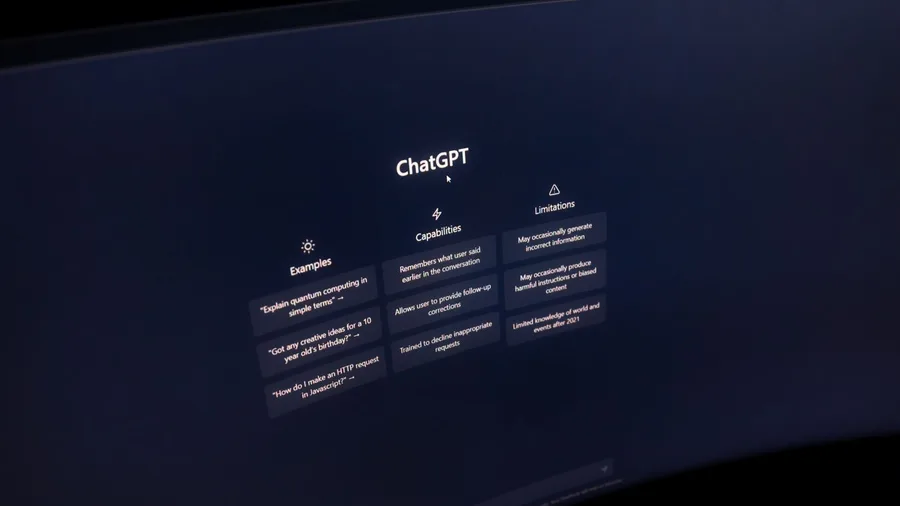
1. ChatGPT Starts Every Draft, Warts Included

Before the drafting tip, two warnings. The free plan now shows ads, and it has since late August 2026 on both Free and Go.
Every chat is also fed into model training unless you switch that off in Settings. Temporary chats skip training with no toggle at all.
The one privacy rule for the whole stack, said here once: never paste client files, passwords, confidential records, or medical and financial data into any free or personal chatbot, this one included. In a year I have not broken it once.
The free tier also holds only 27,000 tokens, the small chunks of text a model reads and writes.
That is the context window, the total it can hold in view at once. It works out to about 12 pages, so a longer draft loses its bottom half with no warning.
Go runs $8 a month and Plus $20 as of October 2026. A rough bullet list still becomes a readable draft in about 10 to 60 seconds, 700 words, then 10 to 15 minutes of my edits.
I went to Go to kill the ads, then weighed Plus. Go stayed: same draft speed, cheaper.
💡 Tip: Set a spending limit on any paid AI service before you connect it to anything else. A $20 plan with no cap is a bill nobody can predict.
2. Claude Thinks Longer Than Any Other Assistant
Claude is the assistant I hand a finished draft to when I suspect the structure is wrong.
ChatGPT gets me to a fast first draft, but fast and fluent is not the same as logically sound, and fluency hides a broken argument instead of flagging it.
Set the effort level: open Claude and look at the effort control before you type. Higher effort reasons longer and finds more structure, but it burns the free allowance far faster.
Long documents on Max settings can drain a free morning's usage before noon, because the free plan refills on a rolling 5-hour session.
Paste the whole draft: drop in the full piece, not a section. Ask it to name every place where the argument loops or a later paragraph contradicts the opening.
It comes back in under a minute with the structural fault spelled out, the thing ChatGPT smoothed straight over.
Budget before you code: Claude Code, the coding agent, needs Pro or above with no free path. Pro is $20 a month, or $17 billed annually.
I crossed over the first week a 3,000-word feature hit the wall at 11 a.m. and was due that afternoon. Max, at $100 or $200 a month for heavier use, is only worth it if Pro's session limit keeps catching you.
Five Terms These Tools Assume You Know
3. Perplexity Replaces Google for Fast Fact-Checks

Prompt to copy
Here is a claim from my draft: [paste the sentence]. Find the original source for this date, name, or number and give me the link. If you cannot find it, say so plainly and tell me what the closest verified fact is. Keep it under 80 words.
That goes into Perplexity's search box. A basic search with citation links comes back in seconds, and one of roughly five free Pro searches a day buys more depth.
The catch is that a single deep-research run on one article can drain all five before lunch.
Claude finds the structural flaw in a draft, but Claude and ChatGPT both state a wrong fact with total confidence.
So the same three searches that check a claim also rule out a full PDF task, which Perplexity's upload cap blocks anyway.
One search with a source link beats writing a correction after publication.
4. Gemini's Free Tier Shrank Sharply in October 2026

A fact check can take twenty seconds, and the long document you still have to read afterward can take an hour. On October 9, 2026, Gemini's free tier lost the model choice that used to make it the obvious pick for that hour.
Free accounts now get Flash-Lite only, are throttled first when servers are busy, and refill every five hours up to a weekly cap. A heavy Monday leaves less headroom by Thursday. The one keeper: 32K tokens, about 50 pages, fits a whole chapter.
Google AI Plus is $5 a month for Gemini inside Gmail. Google AI Pro is $20 a month for Docs, Sheets and Slides, and no free Google account gets that.
The arithmetic: $20 a month is $240 a year for an assistant I open only when Docs is already open.
⚠️ COMMON MISTAKE
One Privacy Rule for the Whole Stack
Never paste client files, passwords, confidential records, or medical or financial data into a free or personal-plan chatbot. The training toggle is in Settings, and temporary chats are exempt, but neither protects a client file from the wrong account.
5. Copilot Is the Free Web-Grounded Overflow Valve

Web-grounded answers, writing help, summaries and image generation, with no daily cap that bites at work hours. I open it when ChatGPT's 12-page window is full and the piece still needs sources.
I paste the crowded section and ask for the facts and source links, then check each link myself before anything goes in the draft. Answers arrive in under a minute. My review takes five to ten.
Prompt to copy
You are a research assistant for a magazine feature. Below is a section of my draft that has grown too long for one chat window. Pull out every factual claim in it, list each one as a single line, and next to each give the current source that confirms or contradicts it, with a link. Flag any claim you cannot source as unconfirmed. Keep the whole reply under 400 words and do not rewrite my prose.
The catch: this is not Microsoft 365 Copilot. Nothing appears in Outlook or Teams on a personal plan, and enterprise data integration needs an enterprise license. It is a backup, never my first window, and never yet my missed deadline.
Research and Memory
Writing tools are useless if the material feeding them is noise. This group turns interviews, PDFs, and scattered notes into something a draft can actually use, and it keeps the archive searchable from one morning to the next.
Each tool here earns its place by holding a specific kind of memory. None of them draft. All of them save the second hour I used to spend hunting for a quote or a source in a folder.
6. NotebookLM Answers Only From What You Give It

Three sources is where it earns its keep. Upload the interview transcripts and background PDFs, and it answers only from those files, linking the exact passage behind every claim.
The catch is absolute: ask about a document you did not upload and you get nothing back, so load everything first.
The free plan holds 100 notebooks, 50 sources each, up to 500K words a source. Enough for a book-length project in one notebook.
NotebookLM by the Numbers
📄 Words per source
Up to 500K
📎 Sources per notebook
50
🧮 Total capacity
25M words
📓 Notebooks on free
100
⏭️ Skip loading extra files if
Answer is not in your sources
Why it matters
It cannot hallucinate a source it was never given, which is a stronger guarantee than 'usually accurate.'
7. Otter Transcribes Calls Before I've Closed the Tab

The transcript and the summary are sitting in my inbox before I close the call window. A bot joined the meeting on its own, wrote down each speaker under a separate label, and stacked the finished notes in a searchable archive.
Most of what I need to capture each day arrives live, in conversations, before any file exists to upload.
Here is the honest comparison. Transcribing a 45-minute interview by hand and cleaning up my rough notes afterward runs about 60 minutes.
Otter joins and writes in real time, so the transcript lands the moment I hang up. My review of the summary takes 5 to 8 minutes.
Time check: 60 minutes by hand against roughly 5 to 8 minutes of review with Otter.
The catch is the meter. Free-plan limits on monthly transcription minutes and storage mean a string of heavy meeting days will hit the cap by midweek.
My fact sheet does not cover Otter's current figures, so check the limits at Otter.ai's pricing page before you commit.
Why not just upload the recording to a chat assistant? That works once the file exists.
Otter attends live, so a failed recording loses nothing, and the speaker labels tell me who said what across four voices.
A quote from a call three weeks back is findable in seconds.
💡 Tip: Ask the person on the call before you send a bot in. Some clients will say no, and a recorded call without consent is a problem that outlasts any transcript.
8. Notion AI Lives Inside the Notes, Not Beside Them
Before you pay for Notion AI, know what it is: a paid add-on on top of whatever Notion plan you already have.
Check the current add-on cost at Notion's pricing page, because my fact sheet does not cover it. If Notion is not already where your notes live, the add-on buys you nothing.
For those already in it, the thing it removes is the copy-paste. Its AI acts on the page or database you are already editing, so yesterday's meeting notes get summarized into action items in the same document your Otter transcript sits in.
That is the whole trick.
A database, in plain words, is a table of entries Notion treats as records. Mine is my content calendar, and Notion AI writes a one-line summary for each row. Expanding a bullet skeleton into a draft is the third morning task.
The old way is copy, paste, prompt, paste back, three times over. The new way is a click where you are already working. Those three tasks all involve opening Notion anyway, so the assistant is at the desk, not a second stop.
Make and Publish
The last group sends the work out: proofing, decks, images, audio, music, and motion. These are the tools that make a finished draft turn into something an audience can actually open, and they are where the free plans get stingy fastest.
The pattern to notice here is that each tool owns one narrow output. None of them tries to be the whole pipeline, and the ones that do are the ones I dropped.
9. Grammarly Catches the Errors Claude Smoothed Over
Grammarly is a separate, rule-based check that runs on finished writing before it publishes, and it earns its place because every AI hand on a draft knows how to make a sentence sound right.
The one-time setup takes about 15 minutes: install the browser extension, load your style preferences, then leave it off until the piece is done. Run it last, after all the AI edits, because checking sentences you are about to delete is wasted time.
The catch is that its suggestions fight deliberate style. It flags my fragments and my rhythm commas, so I review every one and never bulk-accept.
The free plan's limits are real, so read the breakdown at Grammarly's pricing page. Last year it caught subject-verb disagreements and possessive errors that sailed through every AI pass.
10. Gamma Turns a Bullet List Into a Deck in Two Minutes

A 10-slide deck built from a messy bullet list came out in under 2 minutes of generation, then 10 minutes of me cutting slides that missed the point. The same deck from scratch in PowerPoint takes me 30 minutes at minimum.
Gamma takes a pasted outline or a typed topic, asks you to pick a visual theme, drafts the slides, and hands you a link or an export to fix.
Any regular Gamma user in the audience will recognize the template layout instantly. For a pitch where original design signals effort, that reads as laziness.
Free-plan output limits also apply, so check the current figures on Gamma's pricing page before you plan a week of decks around it.
That is why I never send it to investors or clients. High-stakes decks and proposals need design a template cannot provide.
Where it owns the job is internal briefings, team updates, and conference submissions, and those are most of the decks I make in a week.
So the polished text Grammarly finishes can become a formatted briefing before the meeting starts, not after 30 minutes of dragging boxes. The deck from last week's notes is ready while the coffee is still hot.
11. Midjourney Makes Header Images Stock Sites Cannot Match

Prompt to copy
A wide editorial header image, 16:9. An empty server room at 3 a.m. One aisle light left on. Cold blue tones. Long shadows on the floor. No people, no text, no logos. Quiet and a little lonely, not dramatic.
I write that prompt before I write the article. Midjourney renders it while I draft, and I look at the results when the draft is done. Two jobs run at once, and nothing is added to the morning.
There is no free plan to test the tool with, so decide on cost before you sign up. Check the current tiers on Midjourney's pricing page first.
I pay for it because stock libraries have nothing like that server room, and free image tools get you generic blue circuit boards with no mood to them.
Two checks come after every generation. Any image with a word in it gets read character by character, because lettering often comes out scrambled. Realistic hands still fail, so inspect them before a close-up goes out at header size.
I would not hand it a chart, a real person, or anything that must be accurate. It gives you a specific header that matches the article, made before the piece is finished, at a quality an exclusive stock license would charge more for.
Free Output vs. Paid License
Suno Free
- 50 credits a day, about 10 songs
- Full songs with vocals and instruments
- No watermark on the download
- Non-commercial use only
Suno Paid
- Commercial license for monetized use
- Check current plan tiers on the pricing page
- Required for ads, paid products, sponsored feeds
- Read the terms before your first upload
12. ElevenLabs Voices Sound Human on First Listen
Yes, and the same text that just needed a header image can become audio in minutes.
I use ElevenLabs two ways: a newsletter podcast feed and voiceover for screen-recorded tutorials. Same finished text, no extra writing.
The catch arrives mid-piece. The free plan caps characters per month, so a long article gets cut off before the ending. Check the current limit on ElevenLabs' pricing page before converting a full piece.
Recording my own narration used to cost 45 minutes per article: quiet room, multiple takes, cutting breaths, exporting. Generation takes a fraction of that.
The listening pass still takes about the length of the audio, since proper nouns and product names get stressed on the wrong syllable.
The math: 45 minutes of recording and editing replaced by roughly 5 minutes of generation and a full listen, a net saving near 40 minutes per article. Twice a week that is over an hour back.
13. Suno's Free Songs Cannot Be Sold or Monetized
Fifty credits a day buys about 10 finished songs, and not one of them can go in a video that earns money. Free-plan Suno output is non-commercial only, so an ad-supported podcast or a paid product needs a commercial license first.
Before you write it off: the free tier delivers complete songs with vocals and instruments, and the download carries no watermark.
I use it for background music in internal briefings that never leave the company. Read the commercial terms on Suno's pricing page before the first render.
14. Runway Animates a Still Image in Three Minutes
A background track solves the audio side of a post. Video is the part most writers skip, because the usual answer is hours inside an editor they have never opened.
Runway removes that step. The still I already made for the piece becomes a few seconds of movement, and I never leave the browser.
The catch shows up on the first render. Free-plan credits are capped, and a clip takes minutes, not the seconds a chat reply needs, so a daily schedule built on hope will stall.
Check the credit allotment on Runway's pricing page before you plan around it.
The setup is three steps I did once and repeat unchanged. I upload the header, type how the scene should move, then download the clip when it lands. The motion prompt reads: "slow camera pull back, light shifting left to right, clouds moving."
These clips run a few seconds, so they suit a post header and nothing longer. I use Runway only where a moving header sits beside the still, not on every article.
A five-second clip takes about three minutes of my work plus the render wait, and on static feeds it earns more clicks than the still alone.
💡 PRO TIP
The Tuesday Test
Before you add a fifteenth tool to your stack, open it on a real Tuesday with real work due. If it does not survive that morning twice, drop it. The tools above survived 52 of them.
Frequently Asked Questions
Do I need to pay for any of these tools to start?
No. ChatGPT free, Perplexity free, NotebookLM free, Otter free, Grammarly free, Gamma free, Suno free, and Runway free will cover a first week. The two I paid for first were Claude Pro at $20 a month and ChatGPT Go at $8, both for the same reason: I hit a usage wall mid-task.
What is the privacy rule for using AI tools at work?
Never paste client files, passwords, confidential records, or medical or financial data into a free or personal-plan chatbot. Turn off model training in Settings where the option exists. If a client's data is involved, ask before it goes into any tool.
Which of these tools do I need if I do not write for a living?
ChatGPT for drafts, Perplexity for fact-checks, and Gamma for decks cover most office work. NotebookLM is worth it the moment you have more than three documents to hold in your head.
Can I use AI-generated music and images in published work?
Check the license on each tool. Suno's free output is non-commercial only, so monetized video or a paid product needs a paid plan. Midjourney has no free plan, and its paid plans carry the usage rights. Read the terms on the pricing page before publishing.
Is Gemini still worth using after the October 2026 changes?
Only if Google Workspace is your main work environment. Free Gemini is now Flash-Lite with no model choice and gets throttled first. The $20 Google AI Pro tier puts Gemini inside Docs, Sheets, and Slides, which is where its value sits.
How long does it take to set this whole stack up?
About two hours if you create accounts and adjust the privacy and training settings in each one. The writing and research tools take minutes. The publishing tools, especially Runway and ElevenLabs, take longer because of the licence checks.
Two Tools on Day One, One Upgrade When You Hit the Wall
If you use none of these today, open two on day one: ChatGPT for the blank page and Perplexity for the check before anything publishes. Add NotebookLM the first week you have more than three sources to hold together.
The first upgrade I paid for was Claude Pro at $20, because a structural edit hit the free wall at 11 a.m. and the piece was due. The second was ChatGPT Go at $8, to drop the ads.
If the monthly bill needs trimming, drop Midjourney first. It is the most expensive tool here and the easiest to replace with a stock photo for a week. Keep Perplexity and NotebookLM, and use their free tiers.