

ChatGPT has already filed a profile on you — and 96% of what it stored, you never asked it to remember.
A study presented at the ACM Web Conference 2026 analyzed 2,050 memory entries from 80 real users. Most entries were inferences: personality reads, emotional patterns, sensitive personal details — all created silently.
The nine prompts below pull that profile into the open, layer by layer. Run them in order. Do not delete anything until Prompt 1 gives you the full picture.
1. The Prompt That Reads Your Full Memory
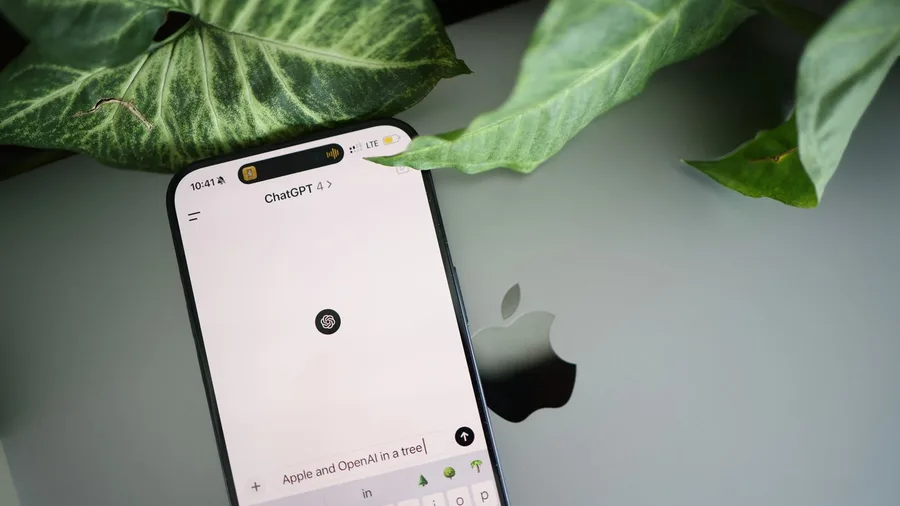
ChatGPT maintains a private file on you – facts, guesses and conclusions drawn from every conversation – and most users have never seen it. This prompt opens that file line by line, with each entry's source attached.
Paste this into ChatGPT now.
Prompt to copy
Go to Settings, then Personalization, then Memory, and read me every item you have saved about me. For each entry tell me: the exact text of the memory, whether I stated it directly or you inferred it from something I said, and how confident you are that it is accurate.
The ACM 2026 study found 2,050 entries across 65 users; 96% appeared without anyone asking ChatGPT to save them. That means nearly every item that surfaces here was filed on the system's own judgment, not yours.
One practical trap: closing or deleting a conversation does not touch the memories built from it. Those entries sit in Settings > Personalization > Memory until you remove them there – and even after deletion, OpenAI may retain logs for up to 30 days.
Run this prompt before removing anything, so every later prompt in this sequence works from the complete picture.
By hand vs. AI: Manually cross-referencing months of chats for what was stored would take an hour or more. ChatGPT returns this list in under a minute.
Reviewing each entry and flagging the ones you did not knowingly share takes another 10 to 15 minutes – that review is the part that matters.
💡 Tip: Temporary chats do not create or update memories. Use one if you want to explore sensitive topics without adding to your profile.
2. The Psychological Profile Prompt
More than half – 1,066 of the 2,050 entries in the ACM 2026 study – held emotional or personality conclusions: what you want, what you fear, how you tend to feel, what kind of person you are.
That makes the psychological category the largest single slice of what ChatGPT stores.
The raw memory list shows individual facts; this prompt asks ChatGPT to show how it assembled those facts into a portrait of your inner life, with the exact words you used cited as evidence.
Prompt to copy
Based on our conversations, write a psychological profile of me. Include what you believe are my core desires, recurring fears, dominant emotions and likely personality type. For each claim, quote the exact words I said that led you to that conclusion.
The ACM 2026 researchers called this an 'algorithmic self-portrait' – a characterization built entirely from things you said in conversations you likely thought were private.
Seeing it rendered as a coherent profile, with your own words quoted back as proof, is what most users find unsettling.
⚠️ COMMON MISTAKE
Do Not Paste Sensitive Files Here
Never put passwords, medical records, financial documents or client files into any personal ChatGPT account. On personal plans, chats may be used for model training when 'Improve the model for everyone' is switched on. Check that setting before running any of these prompts.
3. The Unasked Inference Prompt

Prompt to copy
List every conclusion you have drawn about me that goes beyond what I explicitly told you. For each inference, show me the statement I made that you used as your evidence and rate how strong that evidence actually is.
Without this prompt, ChatGPT's profile mixes confirmed facts and guesses in the same list with no labels. The ACM 2026 study found entries marked 'weakly supported' – one user was logged as liking Nirvana after only asking for similar bands.
OpenAI acknowledges the visible memory summary may not include everything the system knows. This prompt can surface inferences that never appeared in the raw memory list at all. The ones rated weak are the ones to delete individually – the rest are worth keeping.
4. The Stranger's Briefing Prompt
ChatGPT blends confirmed facts and guesses into smooth prose – and without a label on each, you cannot tell which is which. This prompt forces a separation by requiring ChatGPT to tag every claim it makes about you.
Paste this into ChatGPT now.
Prompt to copy
Write a short profile of me as if you were briefing a stranger who has never met me. Cover my likely age range, occupation, personality, values and current emotional state. After each point, mark it as: stated by me directly, reasonable inference, or speculation.
The three tags are the mechanism. Without them, ChatGPT writes a confident paragraph – and the ACM 2026 researchers call that result an 'algorithmic self-portrait,' built from private conversations and rendered as a third-party briefing.
What surfaces is a picture of how a data buyer, a future employer or a platform might read your file. Check every 'speculation' tag and decide whether that guess should stay on record.
💡 Tip: If ChatGPT labels more than half the briefing as 'speculation,' that is a sign your memory file is thin — earlier prompts will have more inferential entries than factual ones.
The ACM 2026 Memory Study — At a Glance
👥 Users studied
80 real ChatGPT users
📂 Memory entries found
2,050 across 65 users
🤖 Created without asking
96% of all entries
🧠 Psychological insights
52% of all entries
🔒 Met GDPR personal data
28% of all entries
Source
ACM Web Conference 2026, researchers from the Max Planck Institute for Software Systems and Max Planck Institute for Security and Privacy.
5. The Hidden Worries Pattern Prompt
What comes back from this prompt is rarely comfortable. A 2026 study of 20 ChatGPT users found most were more unsettled by ChatGPT's inferences than they had expected to be – and this prompt produces exactly that kind of inference.
Paste this into ChatGPT to find out what your question patterns reveal.
Prompt to copy
Look at the topics and types of questions I ask you most often. What recurring problems, worries or gaps in my life do those patterns suggest? Give me the top three themes, a specific example question for each, and your honest read of what underlying need is driving it.
Requiring a specific example question per theme is deliberate. A real pattern has a real example; if ChatGPT cannot produce one, the theme is a guess, not a finding. That absence tells you something useful about the limit of what it actually knows.
If any theme touches something genuinely private – a health worry, a money problem, a relationship – that is a signal to stop typing that subject into a commercial chatbot and talk to a person instead.
6. The Sensitive Data Surface Prompt

This prompt asks ChatGPT to surface the most sensitive category of what it has stored: health details, financial information and relationship data.
In the ACM 2026 study, 28% of the 2,050 memory entries met GDPR's definition of personal data. That covers health status, financial details and relationship information – categories with real consequences if mishandled or misused.
Paste this into ChatGPT before changing any settings.
Prompt to copy
From everything I have shared with you, list what you have picked up about my relationships, my finances and my physical or mental health. For each item, say whether I told you directly, you inferred it, or you are uncertain. Flag anything you consider sensitive personal information.
Before you run it: go to Settings and check whether 'Improve the model for everyone' is currently switched on.
On personal accounts, chats and remembered information may be used to train OpenAI's models when that setting is active.
What surfaces in this prompt's answer may already have traveled further than your chat window.
The catch specific to this prompt: ChatGPT may underreport. It can only surface what reached its memory layer; inferences embedded in the broader conversation context but never formally saved may not appear.
Cross-check the output against what Prompt 1 returned. Delete anything sensitive through Settings > Personalization > Memory, not by deleting the chat – those are separate actions.
What ChatGPT Does With What It Remembers
7. The Future Decisions Prediction Prompt

A profile detailed enough to map your finances and health can also generate predictions – and this prompt asks ChatGPT to make them explicit, with its evidence named for each one.
Paste this into ChatGPT and read what comes back.
Prompt to copy
Based on the patterns in our conversations, what significant decisions or changes do you think I am likely to make in the next twelve months? For each prediction, give me the specific evidence from our chats you are drawing on and a confidence level.
Meta's Muse AI is built to infer goals users have never voiced and refreshes its picture every hour. This prompt tests whether ChatGPT's memory has reached that depth on your account.
Anything that feels invented should be checked against your full memory list. A wrong prediction points to a specific stored entry that is already distorting the answers you receive.
💡 PRO TIP
Run Prompt 1 Again After Prompt 7
ChatGPT's June 2026 update continuously synthesizes past conversations — running these prompts may itself generate new memory entries. A second pass through Prompt 1 after finishing all nine shows you what was added during the session.
8. The Wrong Assumption Audit Prompt
Prompt to copy
Review everything you believe about me and identify the entries most likely to be wrong, outdated or based on a misreading of something I said. For each one, explain the mistake you may have made and ask me the question that would let you correct it.
Wrong entries are more damaging than sensitive ones. An incorrect belief about your job, your health or your relationships quietly bends every answer that draws on it – and you never see it happening.
The ACM 2026 study labeled certain entries 'weakly supported,' meaning ChatGPT stored an inference with thin evidence. This prompt asks it to name those entries itself.
The corrective-question format is the key. Instead of simply flagging errors, ChatGPT asks you what it needs to know to fix each one. You finish with accurate data in place rather than just gaps where bad data used to be.
💡 Tip: Work through the corrective questions in the same chat session. That way the corrections are added to memory immediately rather than requiring a separate follow-up.
Memory On vs. Memory Off — What You Gain and Lose
Memory On
- ChatGPT recalls your preferences across sessions
- Answers get more specific to your situation over time
- Less re-explaining your context in every chat
- Prompts like these nine work with richer material
Memory Off (Temporary Chat)
- No new entries created from that session
- No profile built from sensitive conversations
- Each chat starts with zero context about you
- Existing memory entries stay — only new ones stop
9. The Memory Control and Privacy Prompt
Every control ChatGPT offers for its memory comes with a cost. Turning off memory removes the personalization you may actually want. Know what you are trading before pulling any lever.
Prompt to copy
Walk me through every control I have over what you remember about me. Cover: how to see my full memory, how to delete individual entries, how to clear everything at once, how to stop new memories being created, and what I lose in usefulness if I choose each of those options.
Three actions: Open "Settings" then "Personalization" then "Memory" to delete individual entries. Switch on Temporary chat to block new memories going forward. Turn off "Improve the model for everyone" to stop chats feeding training data.
Note that logs of deleted memories may be kept up to 30 days. Never paste passwords, medical records, financial records or client files into ChatGPT on a personal or free plan.
ChatGPT Memory — Terms You Need
Frequently Asked Questions
Do I need a paid ChatGPT plan to use these prompts?
No. The Memory feature and Settings > Personalization > Memory are available on free personal accounts. Some capabilities — like how much history ChatGPT can read at once — may vary by plan. Check ChatGPT's own help pages for what your current plan includes.
If I delete all my memories, does ChatGPT forget everything permanently?
Not immediately. Logs of deleted memories may be kept for up to 30 days after removal, according to OpenAI's current guidance. Deleting a chat does not delete memories made from it — those must be removed separately through Settings > Personalization > Memory.
Is Temporary chat completely private?
Temporary chats do not create or update memories and are not added to your chat history. OpenAI's current guidance says they also do not feed the Unpersonalized memory option. That said, check OpenAI's privacy and data pages for the current full terms — platform rules change.
Can Claude or Gemini do the same thing to me?
Yes, with differences. Claude has offered editable memory summaries to all users including free plans since March 2026, and deleting a conversation also removes it from memory synthesis. Gemini's memory can draw on Gmail, Docs and Drive for personal accounts, though that deep integration is withheld in the EU, Switzerland and the UK.
What is the 'Improve the model for everyone' setting and where do I find it?
It is the toggle that allows OpenAI to use your chats and saved memories to train its models. On personal accounts it may be on by default. Find it in Settings and turn it off if you want your conversations excluded. Business, Enterprise and Edu accounts are excluded from training by default.
Open Memory Settings Before You Type Another Word
Start with Settings > Personalization > Memory right now, before running any prompt. That screen is your baseline — every other prompt in this list builds on what you see there.
Two settings are worth changing immediately: switch off 'Improve the model for everyone' so your conversations stop feeding training data, and use Temporary chat any time the topic is sensitive.
Then run the nine prompts in order, starting with Prompt 1. Do not delete anything until you have seen the full picture.
The audit and correction steps come last for a reason — cleaning up bad data is more useful than wiping everything and starting blank.