

The answer that finally worked came back in about forty seconds. It was short, formatted, and named the file and line. The difference was not the model. It was four lines the prompt no longer contained.
If you use Claude for real work, you have felt the other version. Long answers that circle the point. A tool call you did not ask for. A format that held for paragraph one and collapsed after.
The habits below are what researchers and Anthropic's own guidance now do instead. Each one is a swap you can make in a single prompt line, tonight.
By the end you will know which old phrases to delete, what to write in their place, and where rules belong so you stop retyping them.
| The old habit | What researchers write instead | Why it matters |
|---|---|---|
| 'Think step by step' | 'Draft a 400-word summary for non-technical managers.' | Current Claude already explores more; the cheerleading adds overthinking and delay |
| 'Don't be lazy' | Name the deliverable, the audience and the length in one sentence | A stated result narrows the job without prescribing the route |
| 'Answer in detail' | One sentence naming the finished output | Detail instructions widen scope the reader then has to cut |
| 'Default to using [tool]' | 'Use [tool] when it would enhance your understanding of the problem.' | Blanket defaults make Claude overtrigger the tool |
| Format via a prefill on the last turn | Explicit written format rule, or structured outputs | Prefills on the last assistant turn are unsupported from Claude 4.6 |
| Rules retyped in each chat | Personal Preferences or Project Instructions | Rules typed into one chat disappear when that chat is compacted |
Cheerleading prompts now make Claude slower, not better

Current Claude already explores more before it answers when the effort setting is high. Three familiar lines push that exploration further, and the reply arrives later and longer: 'think step by step', 'don't be lazy' and 'answer in detail'.
Each one tells Claude how to think instead of what to hand back. The cure is subtraction, not another line.
Name the finished result and stop. When the whole instruction is one sentence that carries the deliverable, the audience and the length, Claude picks the route on its own and asks fewer of its own questions.
Compare that with a prompt that opens on 'think step by step' and then asks for a summary.
The swap: on a report you need to brief managers with, the next prompt line is just this: 'Draft a 400-word client-facing summary of this report for non-technical managers.' That is the deliverable, the reader and the ceiling in one line.
Check the word count and the jargon level; the thinking was never yours to script.
💡 PRO TIP
Name the result, not the effort
Every retired phrase tells Claude how hard to try. A prompt that names the deliverable, the audience and the length gives it something checkable instead. Delete the encouragement and keep the noun.
Blanket tool rules become conditional instructions instead

Claude keeps reaching for the wrong tool because the saved rule tells it to. Two lines cause this. One says 'Default to using [tool]'.
The other says 'If in doubt, use [tool]'. Both push current Claude to call the tool even when a plain answer would do.
Anthropic's fix is shorter, as of November 2026. Copy this line exactly: 'Use [tool] when it would enhance your understanding of the problem.' The tool now has a condition attached. Claude checks the condition, then decides.
The same problem hits subagents, the helper agents Claude can send off on their own. A line telling it to delegate makes it delegate too much. Say when a subagent is worth sending, not that it should send one.
If the tool still fires too often: lower the effort setting. Do not pile on more rules, since each new rule seems to add another reason to reach for the tool. One saved condition beats five stacked defaults.
The edit takes a minute. Open your saved instructions, find any blanket tool line, and rewrite it as a when-would-it-help condition. Claude then stops calling the tool for jobs a single sentence could finish.
Tool rules: the version that overtriggers and the version that does not
Retired blanket rules
- 'Default to using web search.'
- 'If in doubt, use the calculator.'
- 'Delegate to subagents for complex tasks.'
- Stacking a second rule when the first misfires
Conditional replacements
- 'Use web search when it would enhance your understanding of the problem.'
- 'Use the calculator when a figure must be exact.'
- Say when a subagent is warranted, not that it should delegate
- Lower the effort setting if the tool still overtriggers
Heavy expert personas lose to one clear line

You can drop the long role paragraph and the XML tags. Anthropic says current Claude handles heavy role prompting and XML scaffolding no longer needs them. Clear headings and space between blocks of text do about the same job.
Its own default guidance says a simple line such as 'You are a helpful assistant' often beats a detailed expert persona. A 200-word 'you are a world-class expert' paragraph buys nothing and adds reading time before the answer starts.
Where a role pays off: two cases. A narrow output format you can check at a glance, such as a fixed table with named columns. Or a specialist domain where the wording itself has rules.
Tonight, open the prompt you reuse most. Cut the role paragraph and the walls of XML tags. Keep a one-line role only if the output format or the field is narrow enough that one wrong word shows.
The real cost of one 700-word draft
Estimates for a single draft run on a chat assistant. The review, not the reply, is where the time goes.
New Claude reads 'this section' as exactly one section
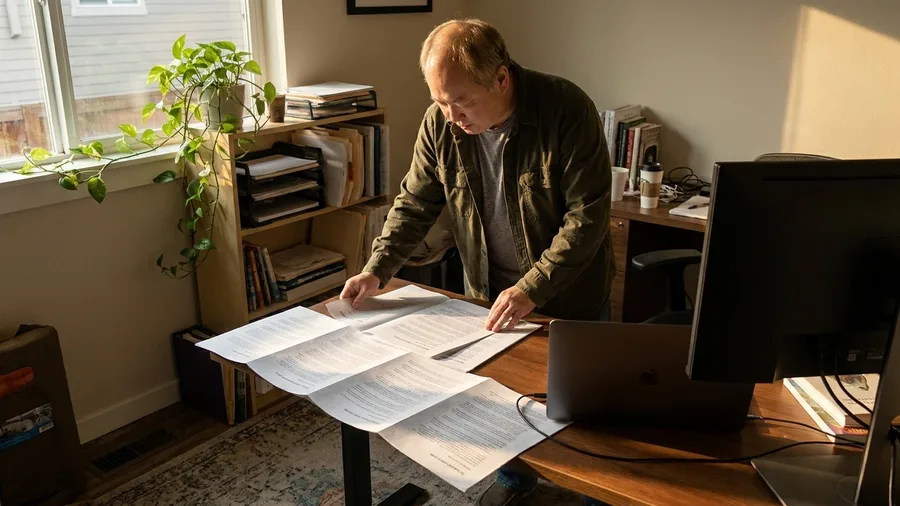
The command that formats this section covered only the first of six parts in the report.
Current Claude reads a plain instruction literally, so "format this section" means one section and nothing more.
Write "format every section" when every section is meant, and the whole report comes back formatted in about 20 seconds.
The older shortcut of preloading the first line of the answer is gone. Prefilled responses on the last assistant turn are unsupported from Claude 4.6, so that trick no longer holds a format in place.
The instruction has to be stated in words Claude can still read when it answers.
Put the format rules where they stay visible. Explicit written instructions or structured outputs do that job now.
For a spec you reuse, save it in Project Instructions or a CLAUDE.md at the project root, where it is read again after a compacted chat and survives the cleanup.
That is the payoff: say "every" once, save the spec once, and formatting stops being a question the reader has to re-ask on each page.
One attached example beats a page of description

Attach one finished sample of the output, not a page explaining it. Take a real two-page client brief with the heading order, date format and three-line summary already in place, and tell Claude to match it.
The shape transfers in a single pass, and the parts that must recur are visible in the file, not described in prose.
Name the parts that have to repeat. In that sample, the heading order, the date format and the three-line summary sit at the top of every block.
Claude repeats what it can see, so those three elements show up in the draft without a paragraph of explanation from the reader.
Give missing facts a place to land. Allow the word "null" instead of a guess, and a figure Claude cannot find comes back as a visible empty slot rather than a number that looks firm.
When the output must be JSON, tell it to open the reply with an opening brace.
The sample sets the shape and the null slot exposes the holes. A vague standard like "make it clear" produces drafts that read well and cannot be filed; this pair fixes that in one upload.
Success criteria written first cut the rework

Write the pass conditions before Claude starts, and the draft arrives closer to right.
A sample fixes the shape of the answer but says nothing about whether a claim is true.
The checklist closes that gap, because Claude has a test to run before it stops.
A condition counts only if the reader can check it in about ten seconds. "Every claim names its source and date" passes that test.
"High quality" fails it, because nobody can look at a paragraph and agree it is done. Put the conditions at the end of the prompt as a numbered list Claude must satisfy.
Then ask which claims crossed more than one source and which could not be confirmed. That note tells the reader where to look first, so the 10 to 20 minutes of editing start on the weak spots.
The checking adds seconds to the reply and a little length. Save it for research and drafting. A quick reformat does not need the pass, and the added lines only slow the answer down.
Verification pays on code and math, not lookups

The check belongs where being wrong is expensive. Ask Claude to weigh its own answer on a quick lookup, a reformat or a yes-or-no classification, and the reply gets longer and slower with nothing to catch.
A definition or a date lookup has one right answer, and a second pass just repeats it in more words.
On code and math, the same request earns its keep. Add one line under your task: check the answer against each requirement above before you finish.
Studies of this kind of self-check report that it catches errors reliably on coding and math, where a slipped sign or a wrong variable name is invisible until something breaks.
The test to carry into your own work is simple. Before adding a check line, ask what a wrong answer would cost you.
A misclassified support ticket costs a minute of cleanup; a bad line in a billing script costs a broken invoice and a call from a client.
Rule of thumb: Checks go where the cost of being wrong is high. For everything else, read the answer once yourself and move on.
Naming file, line and action kills the back-and-forth

A long answer that misses the point usually comes from a short ask that never said what to change. "Improve this code" gives Claude no target, so it returns long, low-relevance text.
You reply, it revises, and several rounds later you still have not got what you wanted. Three details in the ask end that loop.
The one-round version names the file, the line and the action: "In auth.py, line 42, replace verify_token with verify_jwt and keep the existing error handling." That is the whole difference.
One request that says where and what, instead of a round of clarification and a rewrite of the whole file.
Bad rounds do more than waste time. Every long reply stays in the chat's context window, which is the amount of earlier conversation Claude can still see at once.
When it fills, later answers get weaker. In Claude Code, check how full it is with "/context" and run "/compact" to clear it.
Rewrite your next ask by adding three things: the file, the location and the verb. It takes ten seconds and usually comes back in one.
🧭 How to run a session that holds its context
Open one chat for one job
Name the deliverable in the first message so the session has a subject.
Give the source material
Attach the file or paste the sample the answer must match.
Set the check
Add the numbered criteria as the final line of the prompt.
Check usage
In Claude Code, run /context to see how full the window has become.
Compact when full
Run /compact to clear space; the CLAUDE.md at the project root is re-read afterward.
Chain the next stage
Take the output you approved and make it the input of a fresh prompt.
Short chained sessions hold context better than long chats

Start each stage of a multi-step job in its own session rather than pushing one long chat to the end.
A long chat dilutes context, and answers get weaker as the thread grows. Short sessions, each with one job, keep the material Claude is reading focused and checkable.
Chain them when the work needs several rounds of refinement, or when one big prompt keeps returning inconsistent results.
Chaining means you take the output of one prompt and paste it in as the input of the next. It broadens the task but costs accuracy worth gaining.
It also adds steps and delay, so it is not the default for a single paragraph.
The shape is simple. Each stage ends with its output becoming the next stage's input, so you check one piece at a time instead of one check at the very end. If a step is wrong, you fix it before it spreads into everything after.
For a one-off reformat or a quick question, one chat and one answer remain the quickest way.
Standing rules live in Preferences and Projects

A rule typed into a single chat vanishes the moment that chat is compacted. Saved rules apply to every conversation. Claude keeps two layers of them, and they do different jobs.
Personal Preferences, found in Settings, carry your defaults across the board: tone, output format, things you never want to see.
Project Instructions apply only inside one Project, where they hold that project's files, its terminology and its own format.
If the same table shape keeps coming back wrong, the Project is where it goes.
Memory sits alongside these. It is on by default on Free, Pro and Max, and off by default for Team and Enterprise. Open Settings > Memory to see every item remembered; each one can be edited or removed.
First move: open Personal Preferences and save the three rules you retype most. A tone line, a format line, a never-do line. Each one you save is a line you never type again.
In Claude Code, a CLAUDE.md file at the project root is read again after every compaction, so project rules there survive a cleared window.
⚠️ COMMON MISTAKE
Do not paste the whole client file
Passwords, client files, and medical or financial records never go into a chat. Paste a redacted sample instead. On free and personal plans chats may be used to improve the company's models unless you turn that off in the account privacy settings.
Secrets get redacted before anything is pasted

Passwords, client files, and medical or financial records never belong in a Claude chat. The same settings that save your rules also decide what happens to what you type, so keep those three out before you start.
On free and personal plans, chats may be used to improve the company's models unless you turn that off in account privacy settings. Look for the setting on Claude's own settings page, since the exact label can change. No setting promises a guarantee either way.
Every fact, figure, quote and link Claude returns gets checked before you use it. All the assistants can state false facts and invent sources with full confidence.
The workaround is to paste the structure, not the data. Send a redacted sample with the names, account numbers and figures replaced, and you get the same quality of answer without the exposure.
A redacted client contract with the names swapped keeps the clause structure Claude needs to draft your summary. The answer reads the same. The secrets stay home.
The terms in this article, decoded
Frequently Asked Questions
Do I need to pay for Claude to use these prompt methods?
No. The swaps work on the free tier. Paid plans raise usage limits and add features, but the retired phrases and the conditional tool rule apply the same way on both. Check Anthropic's pricing page for what each tier currently includes.
Should I delete 'think step by step' from every saved prompt?
Yes. Current Claude already explores before answering, so the line adds overthinking and delay rather than accuracy. Replace it with one sentence naming the deliverable, the audience and the length.
Do these methods need coding experience?
No. The prompt edits are plain English. The only technical steps are the Claude Code commands /context and /compact, and both are single commands you type once you are in a terminal.
Where do team rules go if memory is off by default?
Memory is off by default for Team and Enterprise, but Personal Preferences and Project Instructions still apply. Save rules there, and use a CLAUDE.md in Claude Code so the file survives a compacted session.
Can I skip all of this for quick questions?
Yes. For quick lookups, reformats and classification, a direct question plus your own spot check is faster than a checklist or a self-review. The methods pay off on drafting, research and code.
Delete three phrases before your next prompt
Open Settings > Personal Preferences. Delete 'think step by step', 'don't be lazy' and 'answer in detail'. Delete any blanket tool rule and save the conditional line instead: 'Use [tool] when it would enhance your understanding of the problem.'
Then put one numbered success criterion on your next research or coding prompt. One is enough to show the difference. You will see the gaps before editing rather than after rewriting.
If you mostly do quick lookups, reformats and classification, skip most of this. A direct question and your own spot check still work, and always will.