

You will finish this list knowing which free replacement takes over each Adobe job, and how much of the work Claude can click through for you. Every tool here comes from a different company, not Adobe.
The lens is the same for all eight: which paid job does the free tool replace, what does the free version leave out, and how much does Claude's computer use actually handle without you steering?
Claude's computer use runs in Claude Cowork and Claude Code inside the Claude Desktop app, in beta for Pro and Max plans on macOS and Windows. It opens apps, clicks menus, and types, but asks permission before each app.
The misses stay in the list. A free tool that saves $20 a month but adds 40 minutes of repair is a bad trade, and this page says so where it happens.
| Adobe product | Free alternative (company) | Alternative cost | Best for | Claude's role and main catch |
|---|---|---|---|---|
| Photoshop | Photopea | Free with ads; Premium $5/month | Browser PSD edits | Clicks menus and types; free-tier ads shift the page and can throw off a click |
| Illustrator | Inkscape | Free, open source | Simple logos and SVG edits | Makes repetitive shape changes; performance lags on big files |
| Lightroom | Darktable | Free, open source | RAW control for photographers | Adjusts panels; cannot judge tone, color or crop |
| InDesign | Affinity | Free download; Canva Pro $15/month for AI features | Print layout | Places text and exports; layout needs your check before printing |
| Acrobat | PDFgear | Free, no watermark | Occasional PDF edits | Edits fields and exports; it sees whatever is on screen |
| Acrobat | Stirling PDF | Free for individuals and teams up to 5 | Shared PDF chores | Triggers actions; app approvals expire after 30 minutes and re-prompt |
| Premiere Pro | DaVinci Resolve | Free; paid tier $295 once | Video finishing and color | Imports and arranges clips; grading and timing need your eyes |
| Premiere Pro | Kdenlive | Free, open source | Simple cuts and screen recordings | Adds clips and tracks; sync and cuts still need manual review |
Image and vector edits
Start with the work you can judge at a glance: a single photo, one logo, one RAW file. These three tools cover the jobs Photoshop, Illustrator and Lightroom do, and each one runs on a free plan.
Because the output is a single file, Claude's clicks are easy to check. You load the file, ask for a change, and look at the result in seconds. The mistakes show up fast.
1. Photopea is free in a browser, with ads
Photopea runs in a browser tab and opens PSD files, so most layer edits never touch a desktop install.
The free version carries ads; Premium removes them for $5 a month as of November 2026. Photoshop's plan price is not fixed here, so check Adobe's own page.
Claude Cowork, beta on Pro and Max in the Claude Desktop app, opens the browser, loads the PSD, clicks menus and types. It asks permission before touching an app. On macOS 15 or later it works in a background window and waits while you type.
The catch: the ads shift the page between screenshots and can throw off a click. Any text or link Claude adds gets checked first, because it invents sources. Total cost: $5 a month against the Photoshop plan price on Adobe's page.
💡 Tip: Turn on Premium for a day of client work. $5 buys a clean screen for the screenshots Claude depends on.
💡 PRO TIP
Close every sensitive tab first
Claude takes screenshots to navigate the screen, so it can see whatever is visible in permitted apps. Close email, banking and client folders before you grant screen access. One extra tab costs you a click and saves a data leak.
2. Inkscape is free SVG editing, slow on big files

Performance drops on big files, so split your artboards before you hand Inkscape anything. Inkscape is the free SVG editor from a different company, on Windows, macOS and Linux.
SVG is the file format for vector art, shapes and paths that scale without blurring. Open source means the code is public and anyone can inspect or change it.
Pixels are done, and the next job is paths and shapes, which is where the free swap for Illustrator comes in. Paste this into Claude Cowork or Claude Code, which asks permission before it touches Inkscape.
Prompt to copy
Open Inkscape and work on the icon file I have loaded. Select every text label on the layer named Labels and change the font size to 14 points. Recolor all shapes on the Badges layer to #1F4E79. Keep each change small, one dialog at a time, and tell me before each step so I can grant permission. Do not touch any other layer. Leave the file unsaved at the end and list what you changed.
A small file of a dozen icons comes back in a couple of minutes, and Claude names each edit it made. Skim the changed layers and rename anything off.
The catch is size: a single large artboard slows Inkscape to a crawl, so keep tasks small.
Before you install Claude Desktop
3. Darktable gives RAW control, not Lightroom convenience
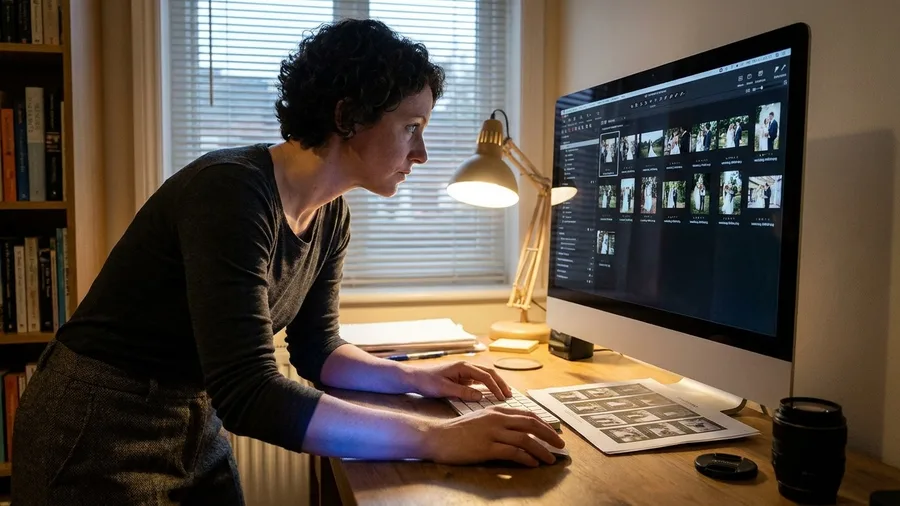
A wedding shoot of 400 RAW files can come back from the free editor with consistent exposure across the set, once the panels are set. That is the payoff: photos edited for nothing beyond your own hours, matched by eye and batch-applied.
Pixels and paths are corrected on one screen at a time. RAW is the first job where the software's own rendering choices decide what you see, and where a person's eye has to settle tone, color and crop.
Darktable, a free open-source editor from a different company, is built for exactly that control.
The setup is short. Claude opens Darktable, adjusts the exposure and color panels, batch-applies one set of settings to a folder, and asks permission first. The panels take a minute to reach the same settings in Lightroom, then they keep paying back on every shoot.
What Claude cannot do is judge the frame. It cannot say the skin tone sits too warm or the horizon needs two degrees. Those calls come back to you.
Expect a steeper curve than Lightroom and more review time per batch. Photographers who already read a histogram get a darkroom with no bill attached.
The words these tools use
Layout, PDFs, and teams
Multi-page documents raise the stakes. A misplaced text box or a form field in the wrong spot survives three reviews and surfaces at the printer or in the client's inbox.
That is why human review grows as you move into this group, and why the privacy rules matter more here. Files carry names, addresses and numbers you would not post publicly.
4. One Free App Does Three Adobe Jobs
Three Adobe jobs – photo, vector and page layout – now fit in one free download. Affinity, owned by Canva, folds the former Designer, Photo and Publisher into a single app, so a brochure stays in one window instead of jumping between programs.
Canva Pro starts at $15/month as of November 2026 for Canva AI features inside Affinity. The core app stays free.
Claude places the text and images, switches between the combined tools and runs the export, asking permission per app. Someone still checks the layout before it reaches a printer.
The catch: a misplaced caption or a wrong page break looks fine on screen and wrong on paper. Proof the exported file page by page before you send it out.
💡 Tip: Export to PDF with the printer's bleed setting on and open the result at 100%. Margins show up wrong at that zoom, not on the canvas.
🔑 Grant one app, then work
Install Claude Desktop
Get the app on macOS or Windows and sign in with a Pro or Max plan.
Close sensitive windows
Shut email, banking and client folders, because Claude sees what is on screen.
Grant one app
Approve only the editor you need, so a stray click cannot reach anything else.
Write the task prompt
Name the file, the change and the limit, then let Claude click through its steps.
Review the result
Open the file yourself and check the change before you export or send it.
5. PDFgear edits PDFs without a watermark
Prompt to copy
You are working in PDFgear on my Mac. Open the file 'lease-2026.pdf', fill the tenant name and move-in date fields on page 1 from the details below, leave every other field alone, then export a copy named 'lease-filled.pdf'. Show me a screenshot of page 1 before you export.
Send that to Claude with the tenant details pasted underneath. It opens PDFgear, fills the fields and pauses for your look, then clicks export. The fill and export take about a minute, and your check on the screenshot takes about two more.
What makes this worth doing is the price. Acrobat's editing tools sit behind a paid plan, and PDFgear is the free editor from another company that leaves no watermark across your pages.
The catch is what Claude can see. It takes screenshots of the screen to find its way around, so a client contract or a medical record open in the next window is visible to it too.
Close those windows first, and never paste a password or financial record into the chat.
Handled that way, the occasional field fix, page delete or format change costs nothing and stays on your Mac or Windows machine.
Which PDF route fits the job
PDFgear
- Free with no watermark on documents
- Good for one-off form fills and page edits
- Runs on your machine, so check what is open
- Best when one person fixes one file
Stirling PDF
- Free for individuals and teams up to 5 people
- Paid team and enterprise plans beyond that
- Built for shared PDF chores
- Best when a small office handles the same paperwork
6. Stirling PDF is free for teams up to five
Merging forty invoices into one file, splitting a scanned report page by page, stamping a draft watermark on every copy: the chores nobody wants to do alone.
Stirling PDF in a browser tab handles that work free for individuals and small teams of up to 5 people.
Claude runs the interface and sets off the action you pick, asking permission before it touches each app. In Dispatch-spawned Code sessions that approval lapses after 30 minutes and asks again, so the handoff never runs unwatched.
Headcount check: at six people or more, confirm Stirling's paid team plan before you roll it out office-wide.
Video edits
Video is the hardest group to hand over, because the output is a sequence in time. A click that lands two frames late looks fine in a screenshot and wrong in the export.
Both editors below cover the Premiere Pro job with no subscription. The free tool is real; the review time is longer than any other group on this list.
7. DaVinci Resolve's free version covers most video edits
The question is whether the free version of DaVinci Resolve does the job you now pay Adobe Premiere Pro for. For most edits, it does. Blackmagic Design gives the editor away, and the paid tier is $295 once, not a monthly bill.
Import and arrangement: Claude opens Resolve, pulls in the clips and builds a rough timeline in the order you asked for. You should see the clips sitting in a sequence when you look back at the window, ready to trim.
Export: Claude then triggers the render and picks the format you named. Watch the job queue fill and finish before you trust the file.
The limits sit in judgment. Color grading and timing need your eyes, not Claude's. Before you promise a client any paid-only effect, check Blackmagic's own page for what the free version leaves out.
For YouTube edits, interviews and color work, the free version carries the edit at no subscription. The clicking is handled, and the finished look stays your call.
8. Kdenlive has no paywalls, account, or track limits
Kdenlive is the free open-source video editor from a different company, built for the plain cut rather than the color finish. That is exactly where it earns its place.
Picture a screen recording with two microphone tracks, split into eight segments and set to export at 1080p. By hand in Premiere Pro, it runs about 50 minutes. In Kdenlive, the same cut takes roughly 35, mostly because you skip account and export-format prompts.
Claude opens Kdenlive, adds the clips and tracks, and starts the export. It asks permission before touching the app, then works by clicking the interface, waiting while you type on macOS 15 or later. Expect the arrangement in a minute or two.
There is no paywall, no subscription tier and no account to create. Video and audio tracks are unlimited. The catch is sync: on a complex project, Claude's cuts still need your manual review for timing, and fast multi-track audio drifts easily.
By the numbers: about 50 minutes by hand, roughly 35 in Kdenlive, plus 15 minutes checking sync and cuts. For simple cuts, recordings and multi-track audio, that trade is worth taking.
💡 Tip: Render a 15-second excerpt first. If the audio syncs there, the full export almost always holds.
Claude computer use — At a Glance
💻 App
Claude Desktop
🧩 Features
Cowork and Code
💳 Plans
Pro and Max (beta)
🖥️ Systems
macOS and Windows
⏱️ App approvals
Expire after 30 min
Check first
Some apps are off-limits by default, and Claude asks permission before each one it touches.
Frequently Asked Questions
Do I need to code to use Claude's computer use?
No. You install Claude Desktop, grant permission to one app, and write the task in plain words. Claude clicks and types through the interface the same way you would, and waits while you type.
What does Claude's computer use cost?
It runs in Claude Cowork and Claude Code inside Claude Desktop, in beta for Pro and Max plans. Check Claude's own pricing page for the current plan prices, since both tiers carry monthly limits.
Will Claude delete my files?
It asks permission before accessing each app, and some apps are off-limits by default. Still, treat any click as yours: back up a file before a batch of edits, and keep approval limited to one editor at a time.
Can I use these free tools commercially?
Most of them, yes, but check each license page for what the free version permits before you ship client work. Affinity's free download, Inkscape, Kdenlive and Darktable are open or free downloads with their own terms.
What happens to my data while Claude works?
Claude takes screenshots to navigate the screen, so anything visible in a permitted app can be captured. On free and personal plans, chats may also be used to improve the company's models unless you switch that off in settings.
Is Claude always right about what it clicked?
No. It can state false facts and invent sources, so check any text, quote or link it puts into a file. The visual result is usually right; the words need reading.
Install Claude Desktop, then pick the first free tool by job type
Photopea first for browser PSD edits, PDFgear first for watermark-free PDFs. Affinity takes print layout, DaVinci Resolve takes video finishing, and Kdenlive takes simple cuts.
Install Claude Desktop on a Pro or Max plan, grant one app at a time as work arrives, and keep sensitive windows closed while it runs. Approvals in Dispatch-spawned Code sessions time out after 30 minutes and re-prompt, so the handoff is never permanent.
The Adobe bill bought one suite. The free answer is one named tool per job, with a person still owning the crop, the color and the export check. Claude does the clicking, the free tool does the work, and the judgment stays at your desk.