
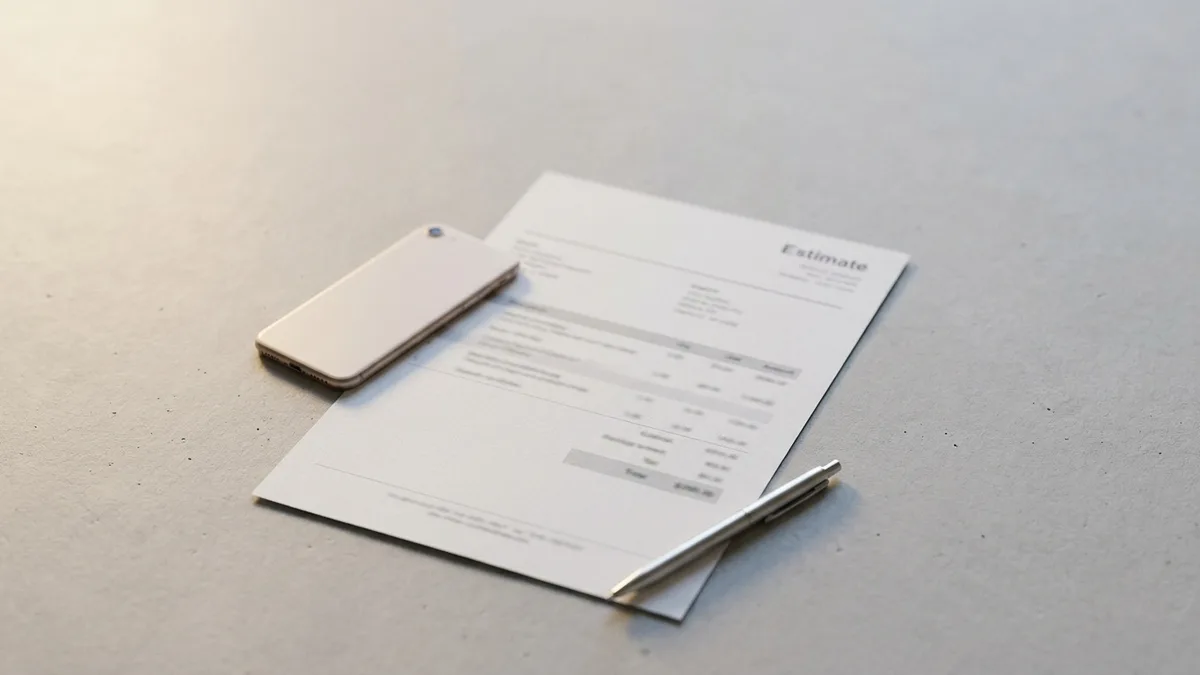
A landscaper built a quote by hand in about 35 minutes across three evenings. The finished app returned the same estimate in 90 seconds, plus four minutes to fix the photo order. That gap is the business, not the build.
The product behind the $600 day is a one-page PDF estimate for landscapers, sold at $49 per month.
At 367 accounts that is $17,983 a month, about $599 a day before any fee. A year of demos taught you the build was easy.
The money does not follow the build.
one day for the first working version, nine weekends of edits before it sold, the first $49 in week 6, and the 367th account in month 9.
Pick the trade and the document, charge $49, and let three conversations this week tell you whether you have a paying chore or an expensive hobby.
| Builder | Price from current research | What it handles for you | Best for | Reported catch |
|---|---|---|---|---|
| Lovable | See its own pricing page | Consumer web app built from a written description | A first-timer who has never coded | Research calls it the pick for non-technical founders, not a promise of finished polish |
| Bolt | Free tier of 1M tokens a month, 300K daily cap; Pro $25/month | Front end plus hosting from one prompt | Testing an idea in an afternoon | Credits burn fast; Forbes testers report errors needing constant correction |
| Replit | Core $20/month plus usage; Pro $100/month for up to 15 builders | Database, login, hosting, email and 30+ integrations | Skipping the backend on day one | Forbes flags overage charges, slow pages and crashes |
| Bubble | Free plan of 50,000 workload units a month; Starter about $29/month on annual billing | Visual app building without code | Someone who wants to learn one tool deeply | Steep learning curve; workload-unit bills hard to forecast |
| GoDaddy | Free plan gives 50 credits; paid plans up to $199.99 | Web apps only | A page, not a phone app | Free plan develops but cannot publish; Airo builds web apps only |
Pick a boring chore a business pays for
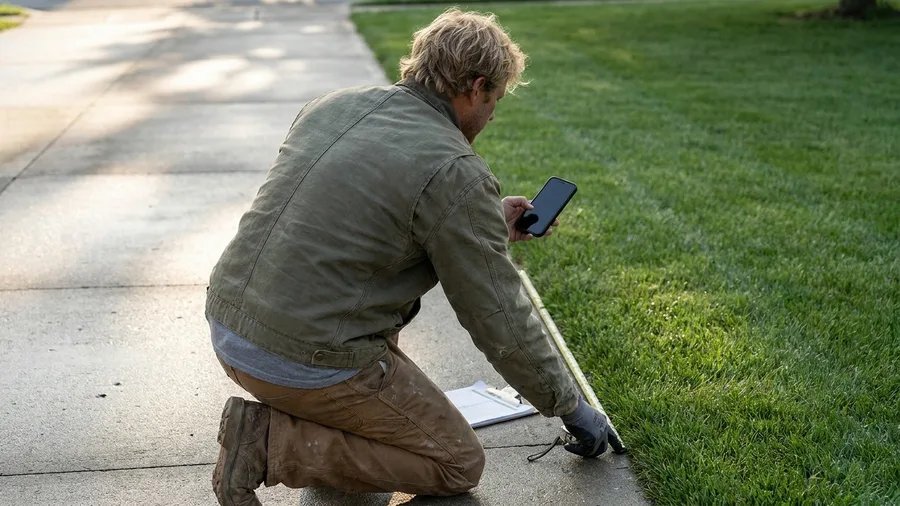
Build the estimable chore. Start with a single job a business already pays a person to do by hand.
In this article's example, CrewQuote turns a landscaper's phone photos, measurements and scope note into a branded one-page PDF estimate, sold at $49 per month per account.
The test is simple: someone already does this job manually, or loses a job without it. If nobody pays for the chore today, nobody will pay for the app. The document has to be the thing that wins or loses the money.
Say no to social apps, two-sided marketplaces, anything that needs licensed or scraped data, and anything a co-founder would be needed to finish. Each one multiplies the work before the first dollar arrives.
The sentence to write: "A landscaper's photos, measurements and scope note become a branded one-page PDF estimate in under two minutes." That line names the trade and the exact document, and it decides the feature list later.
Choose the builder by what it hands you

Choose by the parts the app must hand you, never by the monthly headline. Login, a database, hosting and billing emails are the four. A database is the locked shelf where each account's customers and estimates are stored.
A front end is the part on the phone screen, the buttons and forms the landscaper actually taps.
Lovable is the current pick for a first-time non-coder building a consumer web app. Its price sits on its own pricing page.
Bolt Pro runs $25 a month after a free tier of 1 million tokens a month, but Forbes testers saw credits burn fast and errors needing constant fixes.
Replit Core is $20 a month plus usage charges for compute and deployment. Pro is $100 a month for up to 15 builders.
It arrives with a database, login, hosting, email and 30+ integrations, though Forbes flags stray overage charges and slow, crashing pages. Bubble Starter is about $29 a month on annual billing.
GoDaddy's free builder cannot publish.
This example runs on Replit. Login, the PDF job and billing emails all come built in.
The words in the fine print, decoded
One long prompt gets a working first version

You type one long description that names the whole app before the builder starts guessing. Paste this into Replit's prompt box, swapping the two bracketed slots for your trade and setup.
Prompt to copy
Role: senior full-stack developer. Build a small paid web app for [TRADE – e.g., landscapers] using [STACK – e.g., React front end, Postgres, email login]. App job: a signed-in user produces a one-page branded PDF estimate in under two minutes from phone photos, measurements and a scope note. Steps: 1) email/password sign-up and sign-in, one workspace per account; 2) New Estimate screen with client name, job address, up to 8 photo uploads, scope note and line items (description, quantity, unit price); 3) running total plus a tax line the user sets as a percentage; 4) generate a one-page PDF with business name, uploaded logo, photo grid, line items and total; 5) Customers and Estimates lists with status draft/sent/won; 6) Settings for business name, logo, phone and tax percentage. Output format: working mobile-first app, one accent color, no marketing site, no lorem ipsum. Rules: no payments, no AI features, no admin panel, no team seats; exactly four tables (users, customers, estimates, line_items); every screen usable one-handed; ask before adding anything not listed.
The shape does the work. There is a role line, then bracketed slots for the trade and the setup. Then come six numbered screens and a stated output format.
A closing rule tells the builder to ask before adding anything not listed, so scope creep stops at the prompt.
The catch: the first build will get the PDF layout, the tax line or the billing wrong. Fix one of those per short follow-up prompt. A full rewrite throws away the parts that already work.
The app builds in about a day. Then run it on three real jobs before anyone else sees it. Send the link to one person who does that job for a living.
🛠️ From prompt paste to first paid account
Replit Core vs Pro
Core $20/mo plus usage charges. Pro $100/mo covers up to 15 builders. Hosting, database, login and email are included.
Order the fixes
PDF layout first, then the tax line, then billing. Never two in one follow-up.
What the three jobs prove
That a photo, a measurement and a scope note reach a one-page PDF. Any screen that stalls under one hand is the next fix.
Free and paid tiers
Bolt Pro is $25/mo after a 1M-token free tier, 300K daily. Bubble Starter is about $29/mo annual; its free plan gives 50K workload units.
$600 a day, step by step
367 × $49 = $17,983/mo; ÷ 30 = about $599/day before fees. At $9/mo the same money needs 1,998 accounts.
The channel that opened it
Twenty personal messages a day, no ads, no cold email. The first card in week six, 45 accounts by month three.
Skip this if
The job is a one-off, or the trade already pays for software that does it. Nine weekends of edits is the real entry price.
Charge $49 a month, not $9

A working estimate tool changes what you can ask for it. Run the two prices side by side: 367 accounts at $49 give $17,983 a month, or $599 a day.
The cheap version needs 1,998 accounts to land on the same $17,982, which is five times the selling, the support and the refunds.
Sell it on a 14-day trial with no card, and bill monthly. The first invoice then lands while the estimate habit is still forming, and the customer has to decide the tool is worth keeping.
The catch: business buyers want an invoice, a reply before the next working day, and a phone number on the page. A $9 price brings $9 expectations, and the support load runs about double what a $49 customer needs.
That page takes an hour: what it costs, what comes with it, and how to cancel. Write it before launch.
The first six weeks earn nothing

Finding the first paying customer costs six weeks of unpaid work, and the first $49 arrives in week 6. In the example, the selling happens in two places only: the trade's Facebook group of about 14,000 members, and its subreddit.
The daily habit is 20 personal messages to people who posted a photo of a handwritten estimate. Paste that photo back and say what the same estimate would look like with the app's logo and total on it.
Where deals die: the trial page. The message that survives offers to build the person's next estimate for them. Asking a stranger to sign up gets a closed tab.
The account count climbs slowly at first. By month 3 it sits at 45 accounts ($2,205 a month), month 6 at 130 ($6,370), month 9 at 367.
Ten paying accounts by week 10 is the signal to keep going. Fewer means the chore was not painful enough, and the idea needs replacing, not the marketing.
Two ways to get the first account
What works
- Offer to build their next estimate for them
- Message people who posted a handwritten quote
- Twenty personal messages a day, no link spam
- Ask what they would pay after they watch it work
What stalls
- Posting a launch link into the group
- Waiting for the algorithm to find buyers
- Buying an annual plan before anyone pays
- Chasing sign-ups instead of one finished estimate
$600 a day is gross, not what you keep

Month 9 produces the headline number, and that number is sales, not profit. The $600 a day is 367 accounts x $49 = $17,983 a month, divided by 30, before a single fee.
Five things leave every month. The builder is $25 on Bolt Pro, or Replit Core at $20 plus usage charges.
Automation runs $9 on Make Core, or $0 if you host n8n yourself. Self-hosting means running the software on a server you pay for and maintain.
Refunds take about 4% of sales, so $719 at this size. The last cost is time: 45 minutes a day of support. Payment processing is a per-charge fee at the rate on Stripe's own pricing page, so take the current figure from there.
Check five lines each month: sales, refunds, tools, processor and support hours. That sheet is what keeps the $600 from being repeated as profit.
CrewQuote at 367 accounts — the monthly sheet
📈 Sales
367 signups × $49
↩️ Refunds, 4%
About 15 refunds of $49
🧱 Builder
Bolt Pro $25; Replit Core $20 plus usage
⚙️ Automation
Make Core $9; n8n $0 plus your server bill
✉️ Support
About 2 minutes per email
💳 Processing
Charged on each $49 payment
Daily revenue
367 accounts is the month-9 mark. At $9 a month, $17,982 needs 1,998 accounts.
The code breaks first, then your inbox

Once the first $49 lands, the app stops being a demo and starts breaking in front of paying users. Forbes testers found Bolt credits burning quickly and needing constant correction, and Replit showed overage charges, slow pages and crashes.
Most of that is preventable with one habit: add a single feature per prompt. Then open the app on a real phone, tap through the estimate, and note in one line what changed and when.
At $600 a day the inbox is the bigger job. About 15 emails arrive daily, and hand-written replies take 45 minutes, every day, including weekends.
Book it: one hour a week for fixes on the calendar, plus a status line on the site customers can check when something is down.
💡 PRO TIP
Pick the builder by the missing piece
Write the four pieces your app needs on paper, then cross off the ones the builder includes free. The one that leaves the shortest list is your tool. For CrewQuote that was login, database and email, which put Replit ahead of the cheaper-looking options.
Client photos and passwords stay out of the builder

Screens can break and be repaired in public. The data behind them cannot. The same chat window used to fix a bug must never see a customer's photos, passwords, medical notes or bank details.
The bigger risk is quieter than a breach. On free and personal plans, chats may be used to improve the company's models unless that is switched off in settings. Check the account's data controls before the first real job goes in.
Customer photos and notes need written permission before they enter even a test account. Build and test with made-up jobs: a fake client, invented measurements, a stock photo of a lawn.
The rule on the wall: real customer data lives only in the live app, never in the build chat. Keep a second test account that holds nothing real, and run every prompt there first.
Disclosure rules start the day you take money

The page itself becomes a legal document that first day. Since October 2024, a US rule bans fake reviews and testimonials, AI-written ones included, and buying or selling them. Every quote on the pricing page is a real customer's, with permission on file.
If a partner pays you for a click, that is an affiliate link – a link that earns a commission when someone buys through it. That's a payment arrangement readers cannot see. The disclosure goes right beside the link, not in a footer.
Later channels bring their own rules: YouTube's inauthentic-content rule since July 15, 2025, its checkbox for altered or AI-made footage, and Amazon KDP's AI declaration for a book.
Keep it in one folder: each customer's written permission, one disclosure line under the price, and a screenshot of each live disclosure.
⚠️ COMMON MISTAKE
Do not paste real client work into the build chat
The fastest way to leak a customer's yard photos is to use a live job as your test case. Invent the address, invent the measurements, and keep the real job in the live app only.
Day one is three hours, in this order

All the rules and repair work come after a sale. The sale itself is decided in three hours, before any of it exists. Start with the chore, not the builder.
Name the trade and the single document it produces, then find three people who did that job by hand this week. Ask each one to walk you through their last estimate.
Hour two, paste the prompt into the builder and run it. Fix only what stops an estimate being finished. A broken tax line gets fixed; a font choice waits.
Hour three, sit beside one of the three while they build a real estimate. Then ask what they would pay. Do not buy an annual plan before that answer.
This works for someone with one trade or niche in reach and three hours a week to sell. It does not work for anyone who wants income without talking to customers.
Frequently Asked Questions
Do I need to know how to code to build an app like this?
No. The article's example app was built from one structured description pasted into a builder, with no code typed by hand. What you do need is patience for three or four rounds of edits, and the ability to describe the job precisely. The builder handles the code; you handle the specifics of the trade.
How much does the first month of an AI-built app cost?
On the example here, about $25 for Bolt Pro or $20 plus usage on Replit Core, plus $9 for automation on Make Core or nothing self-hosted. A domain and payment processing are separate, and Stripe publishes its per-charge rate on its own pricing page. That is the whole bill before your first customer.
What if only a handful of people want the app?
Ten paying accounts by week 10 is the signal to continue. Fewer means the chore was not painful enough, and the fix is a different job, not more marketing. That is cheaper to discover in six weeks than in six months of advertising.
Can I sell an app I built with an AI tool?
Most leading tools let you use or sell what you create, but you are responsible for not copying someone else's work, brand or likeness. Read your builder's terms on your own account before launch. The FTC's fake review rule also applies to anything you claim on the sales page.
How long until the app makes $600 a day?
In this example, 367 paying accounts at $49 reaches that figure, and the ramp put it at month nine. The first six weeks earned nothing at all. Treat nine months as one example, not a schedule, and remember the $600 is revenue before refunds, tools and processing.
What breaks first when real customers start using it?
The build, not the demand. Reviewers report failing credits, overage charges, slow pages and crashes at the worst moment. Keep a one-line changelog so you know which prompt caused the break, and reserve an hour a week for fixes.
Who should build the estimate app, and who should close the tab
This works if you have access to one trade or business niche and three hours a week to sell. It does not work for anyone who wants income without talking to customers, because the six unpaid weeks are the job.
This week, do the small thing: name the trade and the one document the app produces, then ask three people who did that job by hand what they would pay. If nobody names a number, you have saved yourself nine weekends.