

The pitch is that Siri finally got smart. Then you ask it the first thing and watch it think. That gap between the demo and your kitchen table is what most coverage misses.
You remember the mocking. Apple looked slow next to ChatGPT and Gemini. But Siri AI did not arrive as a chat app.
It shipped September 14, 2026 inside iOS 27, iPadOS 27, macOS 27, watchOS 27 and visionOS 27 as a layer that acts inside your apps.
That is the quiet strategy. Not a better demo, but distribution across devices you already own, plus app actions that developers supply through App Intents.
Judge Siri AI on the chores it finishes on your Apple hardware. Keep a web assistant for pictures, long agent runs, and history you need on any browser. Here is how to test that this week and decide.
| What matters | Siri AI / Apple Intelligence | ChatGPT, Gemini, Copilot, Perplexity |
|---|---|---|
| Where it works | On an Apple Intelligence-enabled device set to a supported language | In a browser or app on almost any device |
| What it's good at | Finishing chores inside Calendar, Mail, Notes, Messages, Maps, Files | Writing, images, research, long reasoning |
| Privacy | Apple says it collects less data than web AI services and uses on-device data | Mostly server-side; data rules differ by plan and settings |
| History across devices | Syncs through iCloud across Apple devices only | Gemini's history follows you on any browser |
| Images | Image Playground inconsistent in side-by-side tests | Gemini produced better results on the same prompts |
| Free tier | Free with a daily allowance; extras via iCloud Plus | Free tiers with usage limits that change often |
Apple rebuilt Siri as an action layer, not a chatbot

Apple rebuilt Siri from the ground up, and the rebuild reached users on September 14, 2026. It arrived inside iOS 27, iPadOS 27, macOS 27, watchOS 27 and visionOS 27, not as a separate chat app you download and open.
Apple introduced the rebuild at WWDC 2026 and called it the biggest Siri overhaul since 2011.
The change is architectural: Siri now works as an action layer that reaches into apps and across devices, built on App Intents, Apple's system for letting apps hand Siri their content and their actions.
That is a different product from a chatbot. A bot answers you in its own window. An action layer finishes work inside the app where the work lives, using that app's own content and buttons.
So a slick demo conversation misses the point. The test that counts is a chore completed inside an app, and you can run it on your own phone today. Ignore: how clever the replies sound. Watch: whether the task actually finishes.
Developer access turns Siri into a platform

An action layer only reaches as far as the apps that feed it actions, so the November 3, 2026 developer betas matter more than any demo. The iOS, iPadOS, macOS and visionOS 27.3 betas opened Siri AI to every developer, not a chosen few.
App Intents do the feeding. Developers use them to bring app content and actions into Siri, along with personal context understanding and onscreen awareness. In plain terms, Siri can read what is on your screen and know what you are doing when you ask.
None of this ships on its own. Each developer has to build and submit the actions, and plenty of apps will lag or skip it, so the platform grows app by app.
Calendar, Mail and Messages carry the first live actions and are the quickest place to check how third-party work behaves. Quick check: ask Siri to make a Calendar event from a Mail message, then see if it arrives with the right date, time and people.
The installed base is the quiet advantage

Siri AI runs only on an Apple Intelligence-enabled device set to a supported language, and that list is narrow.
It covers iPhone 16 and later, iPhone 15 Pro and iPhone 15 Pro Max, iPads and Macs with M1 or later, Apple Vision Pro, and Apple Watch Series 9 or later paired with a nearby iPhone.
The distribution is where Apple's quiet edge sits. Those devices are already in pockets, bags and on desks. Apple does not need to win a download fight, because the action layer arrives with an update on hardware people already own.
Where you are counts as much as what you hold. Siri AI is unavailable in the EU in iOS, iPadOS and watchOS. It is also unavailable in China while Apple works through government requirements.
Check your model, your language setting and your region before you judge the launch at all. A supported iPhone or Mac in a supported market is the only place the test means anything.
💡 PRO TIP
The two-minute setup that pays back all week
Before you test anything, open Settings, find Siri and Apple Intelligence, and confirm the toggle is on. Then open Calendar once so Siri has fresh context to act on. Two minutes, and every test after that runs on real data.
Private Cloud Compute is a real edge, with real limits
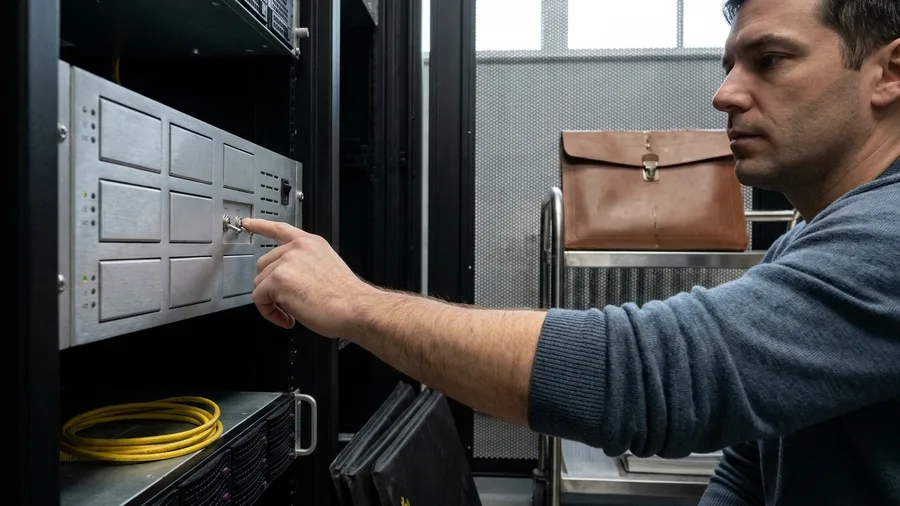
The data behind those actions mostly never leaves the phone. When a task is too heavy for the device, Apple's AFM Cloud Pro model handles it on Nvidia chips inside Google's cloud, wrapped in Private Cloud Compute.
Apple's own comparison is modest in scope. The company says its AI draws less on your data than browser-based services from OpenAI or Anthropic do, and leans on what is already stored on the device to personalize answers.
That advantage covers chores, not secrets. Passwords, client files and medical or financial records stay out of Siri AI and every other chatbot, because a confident answer is no substitute for a leaked document.
Calendar and mail context is where the private handling earns its keep. An assistant that reads your schedule locally can settle a booking without shipping your morning to a server farm. The edge is real, and it stops where sensitive documents begin.
The words Apple uses, in plain English
Siri now finishes small chores inside apps

One chore stands out because it has a clear finish: moving an event from an email into the calendar. The Verge confirmed Siri AI does this, and you can see the entry appear with the right date, time and attendees.
The iOS 27.3 action list shows the intended scope. It runs through 14 built-in apps, from Calendar, Files and Journal to Maps, Messages, Notes, Photos, Reminders, Safari, Shortcuts and Weather.
Basic is the honest word for the feature set. Gemini has done more on Android for years, so a reader coming from that phone will find Siri AI thin at first. Bounded chores are what it does.
Pick one calendar or mail job this week and run it on your own device. The action layer proves itself on a finished event or it does not, and one real chore settles it faster than any demo.
✅ Your first real Siri AI test, from open to finished
Open an email with a date in it
Pick an email with a meeting time, a deadline or a lunch invite — something Siri can extract.
Ask Siri to add it to Calendar
Hold the side button or say the wake phrase, and ask it to put the event in your calendar.
Check the date, time and attendees
Siri can misread a timezone or mix up a sender; correct it before you move on.
Time the whole job
By hand it's about three minutes; Siri takes a few seconds, and you'll spend about a minute checking.
Compare to the old way
If the corralled event saved you two minutes, the action layer works; if not, note what failed.
Free daily limits make trying it cheap

Everyday Siri AI requests fall inside a free daily allowance. The work happens on Apple's servers, so the company caps how many requests each device can make in a day. Past that cap, extra access is sold through an iCloud Plus subscription.
The trial therefore costs nothing up front. A reader testing an email-to-Calendar event or a note summary uses a handful of requests and never sees a bill. Heavy daily use is what reaches the ceiling.
The price itself is the open question. Apple says wider access to these server-side features will carry a fee in the future, and no figure is public yet, per Apple's own statements. Look up Apple's pricing pages before you pay for anything.
The cap is a signal worth watching. If your chores routinely run into it, that is your cue to compare the subscription against what ChatGPT or Gemini charge for the same job.
Where Siri AI wins, where it loses
Siri AI wins here
- Turning an email into a calendar event
- Summarizing a note, message or page
- Finding a file or photo through Siri
- Keeping personal context on your device
Rivals still lead here
- Image generation and editing
- Multi-step agent runs that browse many pages
- Conversation history across any browser
- Reasoning tricks and long-form drafts
Image generation is the clearest remaining loss

A cheap trial also makes the weak spots obvious, and image generation is where Siri AI trails furthest. Over a 48-hour comparison, its Image Playground turned out inconsistent and clearly behind Gemini on the same prompts. Gemini gave the cleaner result on each rerun.
That gap is easy to check yourself. Type the same image request into Image Playground on your iPhone and into Gemini in a browser, then compare all four pictures side by side. Nothing about the layout or finish hides which tool handled the detail better.
None of this makes image work a reason to switch to Siri AI. Keep Gemini as the tool you open for pictures. Siri AI's gain lies in finishing calendar and mail chores on your own devices, not in drawing them.
Agentic AI is the gap Apple hasn't closed

Losing on pictures is a narrow miss. The wider race is the move from chat to task agents, and there Siri AI still trails ChatGPT, Claude and Gemini.
Agent mode means the assistant plans several steps and carries them out, not one action at a time.
OpenAI, Google and Meta are all pushing that direction. Those agent runs browse many pages and take minutes, so the patience they ask for is real. Siri AI handles a single app action, then stops and waits for you.
Apple knows the distance. Bloomberg reports the new CEO is pressing software chief Craig Federighi for a more ambitious approach. Announcing a plan is not shipping one, so count the gap as open until a release closes it.
Keep long multi-step jobs with ChatGPT, Claude or Gemini for now. Siri AI earns its place on bounded chores, and agent work moves back to the web assistant until Apple shows otherwise.
Cross-device history stops at Apple's walls

Agent work spreads across devices and browsers, and that makes conversation history the next practical split. Siri AI keeps its history private across your Apple devices through iCloud, inside a dedicated Siri app. Gemini's history follows you on any device with a browser.
The difference bites on a mixed setup. If you carry a Windows work laptop, an Android tablet or a locked-down work browser, a Siri conversation started on the iPhone stops at the edge of that screen. You restart the question from scratch.
Pick the assistant that matches the devices you actually use. On an all-Apple desk, the iCloud history is the tidier arrangement. Across platforms, a web-first assistant is the one that keeps the thread.
Siri AI's history advantage holds only inside Apple's walls. That is enough for a chore finished on the couch, and not enough for a question you want to carry to a work laptop.
Test Siri AI on one real task this week

Which assistant fits your mix of devices only matters once you stop reading launch coverage and hand Siri AI something you already do each week. Turn it on and time one chore, because a finished task on your own iPhone settles more than any demo.
Pick a single job and write down the clock before you start. Turning one email into a Calendar event works well. So does a short note you would normally read twice to pull out names and dates.
Done by hand, the email-to-Calendar job runs about 3 minutes of tapping between Mail and Calendar. Siri AI answers in a few seconds.
Checking the date, the time and the attendees takes about 1 minute more, and that minute is where the result earns or loses its place.
By the numbers: note summary runs about 5 minutes by hand, 30 to 60 seconds for Siri AI, then 1 to 2 minutes fixing names and dates it got wrong.
The review is the slow part, not the answer. That is the habit to build. Watch the clock on your own edit, because it decides whether the chore is worth keeping.
Images stay with Gemini, long agent runs stay with ChatGPT or Gemini, and any browser-based history stays with the assistant that follows you off Apple hardware.
Keep Siri AI switched on for the chores where the finished event or summary beat your by-hand time, and leave the switch where it is for the rest.
Frequently Asked Questions
Is Siri AI free, and when will it cost money?
It's free with a daily allowance, with extra access running through iCloud Plus. Apple says expanded access to server-side Apple Intelligence features will cost money in the future, but no public price has been given yet. Check Apple's own pricing pages before you pay for anything.
Do I need to be a developer to use Siri AI?
No. You need an Apple Intelligence-enabled device set to a supported language. The developer access that opened in the 27.3 betas is for app makers to add actions, not for users to set anything up.
Why can't I see Siri AI where I live?
Siri AI is currently unavailable in the EU in iOS, iPadOS and watchOS, and unavailable in China while Apple works through government requirements. If your device or region is outside the supported list, you'll have to wait.
Is Siri AI more private than ChatGPT?
Apple says it collects less data than web AI services like ChatGPT or Claude and uses local device data to personalize features. The advantage is real but bounded; never paste passwords, medical records or client files into any chatbot, including Siri AI.
Should I use Siri AI for image generation?
No. In side-by-side comparisons, Image Playground was inconsistent and clearly behind Google Gemini on the same prompts. Use Gemini or a dedicated image tool for anything visual.
Will Siri AI ever catch up to ChatGPT on agents?
Apple's new CEO is reportedly pressing software chief Craig Federighi for a more ambitious approach, which points to movement. Until multi-step agent runs ship in Siri, keep that work with ChatGPT, Claude or Gemini.
Turn on Siri AI for chores, keep a browser tab for the rest
Turn Siri AI on for bounded chores and personal-context tasks on your own iPhone, iPad, Mac or Watch. Keep a web-first assistant for image generation, long agent runs and any history you need on a Windows laptop.
The laughter was aimed at chatbot cleverness. The payoff is quieter: a finished email-to-Calendar event on hardware you already own.
This week, turn Siri AI on and run one such event, timing the by-hand version against Siri's few seconds plus a minute of checking date, time and attendees.
If the finished task saves you time, leave Siri AI on for those chores. If it does not, switch it off and keep ChatGPT or Gemini for the rest.