

A stranger paid $12 for a tool that takes a craft listing and hands back a tighter title, five bullets and a 60-word description. No login, no dashboard.
That sale landed one weekend after the builder started a $20 Claude plan, with almost no coding behind them.
You are sitting down tonight with $20 and a weekend, half expecting a hidden bill or a locked door. The truth runs the other way.
Claude Code has no price of its own, so the $20 Claude Pro plan is the whole unavoidable spend. The real risk is spending 6 hours on something no stranger will pay for.
There is no database behind Listing Polish, meaning nothing is stored between visits. The path is one screen and one small server file, about 6 hours across two evenings. The listing goes live at $12 on Swarms Marketplace.
By tonight's end you can put your own tool through five stranger tests, list it at $12 and send 20 messages this weekend. Or drop it and start a second one-screen tool.
Where a first app can and cannot be sold
Works for a Claude Code project
- Swarms Marketplace, paid listing, reviewed
- Your own site plus a Stripe payment link
- Direct message to buyers who know you
Does not carry your build
- Taskade Genesis App Kits (platform apps only)
- Base44 mobile signing (platform apps only)
- Microsoft Marketplace (right for a bigger second app)
What Claude Code Costs a Total Beginner

Nothing needs buying beyond a Claude plan. Claude Code carries no price tag of its own, so the cheapest route in is Claude Pro at $20 a month, as of November 2026.
Max 5x runs $100 and Max 20x runs $200, and every tier draws on the same session and weekly allowances as claude.ai. Chat hard on that account all morning and the build stalls that afternoon.
Skip the plan and you pay by the token instead, through an API key, which is a string of characters that lets software bill an account for each request.
Sonnet 5.5 charges $2 for a million words in and $10 for a million out. Opus 5.5 charges $4 and $20. That means more setup, plus a meter ticking on every retry that fails.
Everything else is a laptop with a terminal and an Anthropic account. Plan on about 6 hours split over two evenings.
Single replies land in 10 to 60 seconds, so almost none of that time is waiting. It is spent reading lines back, clicking the app and fixing what snapped.
If $20 will not work, run the same weekend on what you already subscribe to. Codex comes inside ChatGPT Plus at $20, with Pro at $200 and no second bill.
Cursor is $20, GitHub Copilot Pro is $10 with 1,500 AI credits, and OpenCode is free on your own keys.
$20 and 6 hours. That buys the whole trip from an empty folder to a live $12 listing, and nothing else in the path requires a purchase. The only figure that can grow is your own time.
| Option | What you pay | What it buys for this build |
|---|---|---|
| Claude Pro (the minimum for Claude Code) | $20/month, shares limits with claude.ai | The whole build, top plan tier included |
| Claude Max 5x / Max 20x | $100 / $200 per month | Higher session limits for heavier build days |
| Claude Code on an API key | $2 in / $10 out per million tokens on Sonnet 5.5 | Per-token billing, more setup, a meter per retry |
| OpenAI Codex inside ChatGPT Plus | $20/month, no separate billing | A second agent to compare, if you already pay |
| GitHub Copilot Pro | $10/month with 1,500 AI credits | Cheapest paid agent route |
| OpenCode | Free, MIT license, bring your own API key | $0 software, you still pay the model provider |
Install It and Prove the Setup Works

A half-set-up install fails on the first build, often without saying why. So install Claude Code from Anthropic's own setup page for your operating system, then sign in with the plan you just bought.
No API key goes into a chat window or a public repository. The sign-in handles it.
Next, run /doctor, also called /checkup. It is a full setup checkup that diagnoses problems and can fix them. Run it again until it reports clean, because a green check here is what stops a broken install from looking like a broken idea later.
Auto mode has been the default permission mode for new sessions on Pro, Max and Team plans since August 14, 2026. Safe actions run without asking, and risky ones get blocked. Read the blocked ones instead of overriding them.
Then run /powerup for the interactive lessons. Three known commands in hand before the build starts is what keeps the next hour from turning into guesswork.
A clean checkup is the green light. The machine is ready, the plan is live, and the first prompt can be typed tonight.
Jargon, decoded
The Exact Paragraph You Paste to Build It

The first thing typed into a clean install is not a question. It is a full specification, because that paragraph decides how good version one turns out.
Paste it exactly as written, into the Claude Code window, on one line or several. Line breaks change nothing.
Prompt to copy
Build a one-page web app called Listing Polish. One box takes a product title, description and price. When I click Polish, send that text to the Claude API with instructions to return (1) a title under 70 characters, (2) five bullet points, and (3) a 60-word description, and show all three on the page. Keep it to one index.html plus one server.js file: no database, no accounts, no analytics, no saved customer text. Read the API key from an environment variable and never put it in the page. Add a README with the three commands to run it locally.
Four blocks do the work. A name and one job. The exact input and the exact output.
The only files it may create: one HTML page and one small server file, an environment variable holding the key, a README with three run steps.
Then the bans: no database, no accounts, no analytics.
Leave any of it vague and the agent fills the gap with confidence. It will invent a package name, a price or an API detail that does not exist. So check every command and every API claim against Anthropic's own documentation before you accept it.
Listing Polish keeps no logins and stores no customer text. Build time runs about 6 hours over two evenings. What you get back is a first working version in one sitting, and the same four-block layout for your own tool.
Steering the Build When It Goes Sideways

A first version that runs is not a finished app, and steering it is a matter of small checks after every change.
Set a stop condition first with /goal: a checkable end state such as "until Polish returns three results for five different test listings."
The agent then keeps working toward that target across turns instead of guessing when it is done.
What actually goes wrong is quiet. It breaks one working thing while fixing another. Keep the last working version, test the whole page after each change, and never approve a command you cannot explain.
Passwords, client files and customer or financial records stay out of the prompt and out of the app. On a personal plan, chats may train the company's models unless you switch that off in settings.
Background sessions keep running with no terminal attached, and the agent view shows every session at once: what is running, what is blocked on your input, what is done. The next task waits its turn while the current one finishes.
You end this stage holding a version that holds up turn after turn. It can go to a stranger without an apology attached.
⚠️ COMMON MISTAKE
Approve nothing you cannot explain
A blocked command is the agent telling you it wants to do something it is not sure about. Read it out loud, translate it into plain words, and only then approve. Skipping that step is how a beginner hands over a working project to a command nobody understood.
Test It Like a Stranger With a Real Listing

A build you believe in is not yet evidence, so put real listings through it and watch whether it survives. Run five tests on actual craft listing text. A 12-word title should come back as a tighter one.
A 300-word description with a typo in it should still get five bullets. A listing with no price, a non-English listing and a blank paste each need a usable result or a clear message. None may crash the page.
Open the running app in Claude Code Desktop's built-in browser and click through it the way a buyer would. The iOS Simulator pane, in public beta, only matters if you want a phone version.
The catch sits in the answers, not the code. A confident but wrong suggestion about wording or price is still wrong. The README has to tell buyers they are reading a draft to edit.
The bar is a build you would pay $12 for yourself, with a README a stranger can follow in three steps. Twenty minutes with real listing text finds failures the agent never will. Clear all five and the app is good enough to sell.
Price It and Put It on Sale

Passing your own tests means you have something worth money. Swarms Marketplace takes it as a Paid listing: you set the price, supply a wallet address, and wait for review, so it is not instant.
Their minimum paid price is $0.01, and tokenizing an app carries a 0.04 SOL mint fee. List Listing Polish at a one-time $12.
The maths favors the buyer. One polish sends about 1,200 input tokens at $2 per million and returns 500 output tokens at $10 per million, which is $0.0024 plus $0.005.
That is roughly $0.0074 a use, under a cent. Buyers bring their own Anthropic API key, so a sale costs you nothing to serve.
Two routes to rule out now: Taskade Genesis App Kits and Base44 mobile signing only cover apps built inside those platforms, not a Claude Code project.
Apple Developer Program and Stripe payout terms live on their own pages, so read them there rather than trust a remembered number.
What you hold at the end is a live listing, a price, a description and a three-step README a stranger can follow without emailing you.
Build it tonight on a lower tier?
Skip Opus for this build; Sonnet pricing is already in the per-polish figure above. Bill per token only if you already hold an API key and want to pay after the work, not before.
Get the First Buyer Without an Audience
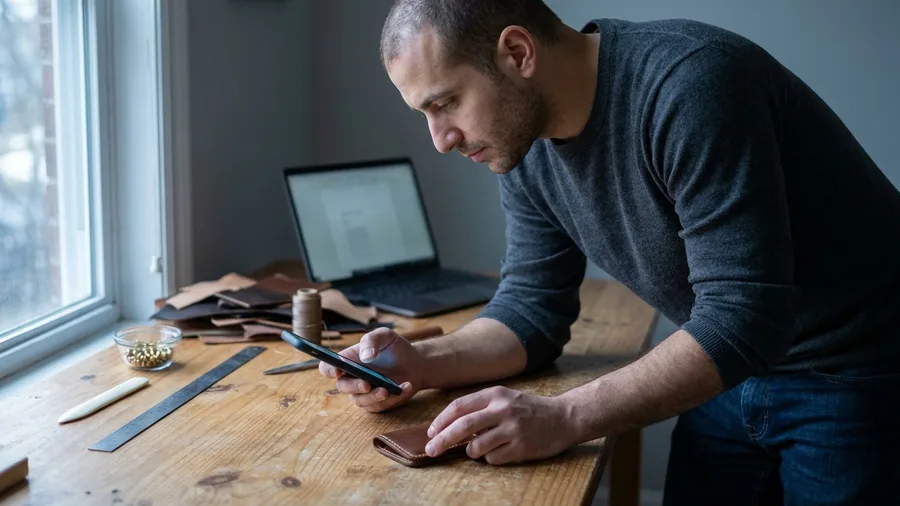
A listing with no traffic earns nothing, so the first sale comes from twenty messages sent the day it goes live, not from waiting on the marketplace. Pick the sellers who do this work by hand.
On a craft forum, that is the ones posting "how do I word my shop descriptions?" threads and editing the same listing twice a week.
Send each one a short note. It says what the tool does, what it costs, and what the buyer has to bring. That last part saves both of you a refund conversation later, because a buyer without an Anthropic API key cannot run it.
The message, in full: "Hi – I made Listing Polish, a one-page tool that takes a craft listing and gives back a tighter title, five bullets and a 60-word description. It's $12 once, you bring your own Anthropic API key, and it runs in your browser. Here's the listing: [link]. If it's not for you, no reply needed."
Expect quiet. A $12 tool sold to strangers moves slowly, and one sale in the first few weeks is a real result. The sellers it suits are the ones who message back before they polish their listing again.
Skip the second listing for now. When a bigger app is ready, Microsoft Marketplace puts AI apps and agents in front of buyers across 141+ markets through Microsoft 365, Copilot and Azure. That is a later route, not a first weekend.
Frequently Asked Questions
Do I need to know how to code to use Claude Code?
No, but you need to read what it writes and test what it builds after every change. The 6 hours in this build are mostly you clicking through the app and describing what is wrong in plain words. If you never look at the output, you will not know when it breaks.
Is Claude Code included in the $20 Claude Pro plan?
Claude Code has no separate price; it runs on Pro, Max 5x or Max 20x and shares those plans' session and weekly limits with claude.ai. The catch is the sharing: heavy browser chatting on the same account can leave you blocked mid-build. On a build weekend, keep the chat light.
What does one buyer's use of the app cost me?
Nothing, because buyers bring their own Anthropic API key. Their polish costs them about $0.0074: 1,200 input tokens at $2 per million plus 500 output tokens at $10 per million. Your one-time $12 price stays yours rather than disappearing into hosting bills.
How long until my listing is actually live?
Swarms Marketplace reviews every submission, so plan on a wait rather than an instant listing. Send your 20 messages with the listing link once it is publicly visible, not while it sits in review. The $0.01 minimum price and the 0.04 SOL tokenizing fee are listed in their documentation.
Will the app give buyers wrong listing advice?
Sometimes, yes. The AI behind it can state a confident but wrong suggestion about wording or price. Put one line in the README telling buyers the output is a draft to edit, and the tool stays honest about what it does.
Can I sell an app I built in Claude Code on the App Store?
Mobile signing services like Base44 cover apps built inside those platforms, not a Claude Code project. Putting a web app on phones takes its own path, and Apple Developer Program pricing lives on Apple's page. For a first weekend, sell a browser tool.
List It at $12, or Pick a Different One-Screen Tool
Run the five tests first. If Listing Polish passes them, list it at $12 this weekend and send the 20 messages the day it goes live.
If it fails two or more, the idea is the problem, not the tooling. Pick a second one-screen tool and build that instead of polishing a weak first one for another month.
Tonight, the only action is this: buy the $20 plan and run the setup check until it comes back clean. A first sale in the first weeks is a real result, and the bigger second app goes to Microsoft Marketplace later.